How to Automate Social Media Posting with an AI Agent

On this page
To automate social media with AI, hand the content cycle to an AI agent: it analyzes what performs on your channels and your competitors', builds a content plan from that data, creates the posts (hooks, captions, carousels and images) for each platform, and schedules them at your best times. You stay in control by approving posts before they go live, or let the agent post them for you.
A scheduling tool only automates the last click. You still have to come up with the idea, design the post and write the caption. An AI agent automates the work before that click, which is where the hours go. This guide shows how it works in six simple steps, then two ways to set it up: a ready-made agent you can start free, or your own agent built with Claude and the prompt below.
TL;DR
- An AI agent runs six steps: analyze, study competitors, plan, create, post, learn
- It judges every post against your own median, so the plan is built on what already works for you
- It creates the post itself: hooks, captions and designed carousels in your brand kit
- You choose: approve each post, or let it auto-post at your best times
- Fastest route: sign up free and paste your profile link. DIY route: the free prompt below
What Can You Automate on Social Media With AI?
You can automate almost everything except your own expertise and your face on camera. Here is how the weekly work splits:
| Task | Doing it by hand | With an AI agent |
|---|---|---|
| Checking what works | Scroll your grid and guess from view counts | Every post compared with your median; breakouts flagged |
| Watching competitors | Scroll their profiles when you remember | Tracked automatically; only their breakout posts surface |
| Deciding what to post | A blank calendar every Monday | A plan with the data behind every post |
| Writing hooks and captions | From scratch, every time | Written in the hook styles that beat your median |
| Designing carousels | Time in a design tool for every post | Designed in your brand kit, every slide editable |
| Posting on time | Easy to forget | Scheduled at your best time, posted or reminded |
| Filming and your expertise | You | Still you. The agent gives you a ready-to-film script |
How Does a Social Media AI Agent Work?
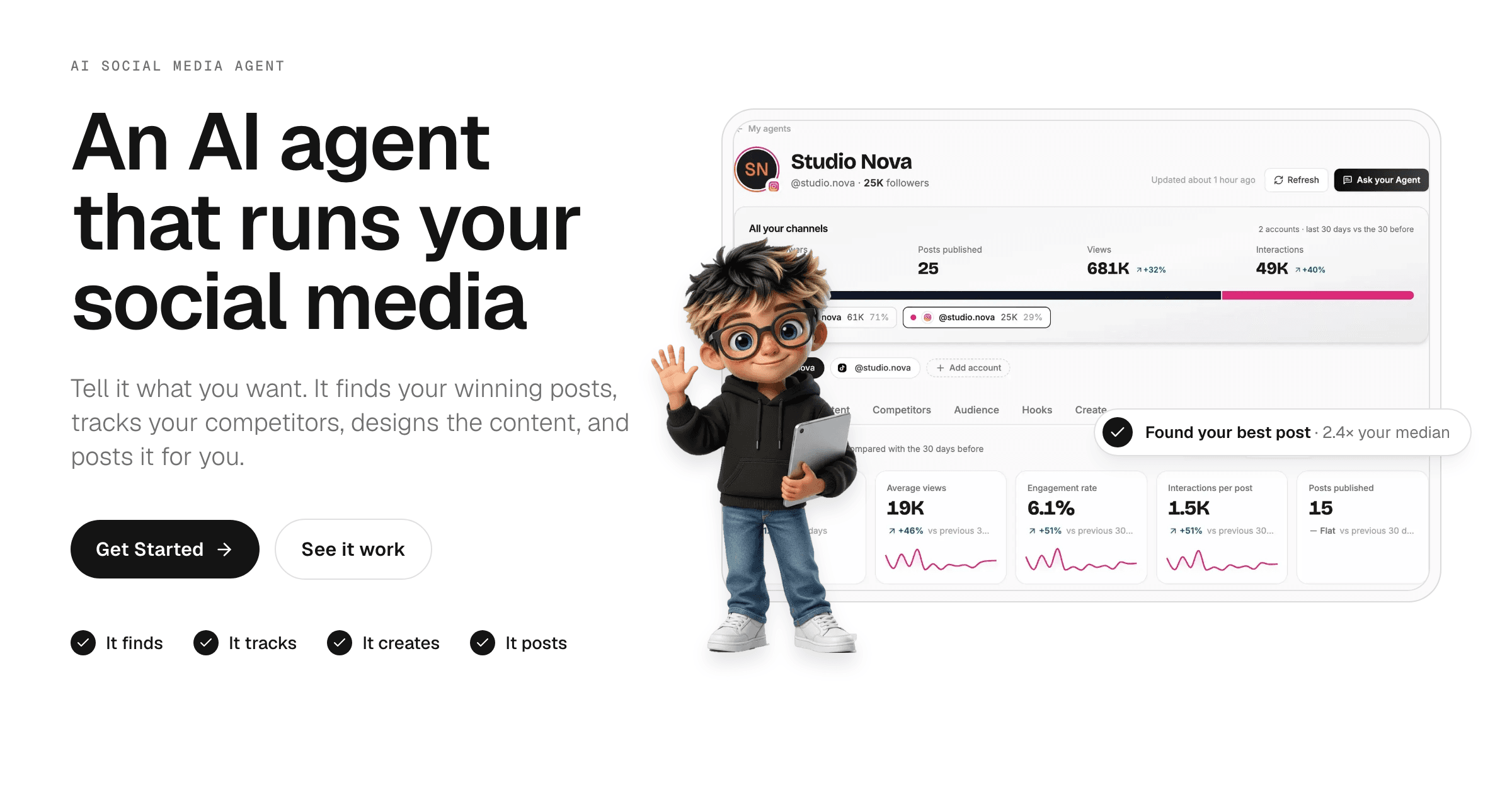
A social media AI agent works in a loop of six steps. The screenshots below are from the Talk to me Data social media agent, shown on a sample account.
Prefer to watch? Here is the whole cycle in 71 seconds:
In the video: the social media agent reads an account's posts, shows which formats and hooks beat its median, tracks competitors, and turns the findings into planned, designed posts.
Step 1: It analyzes your channels
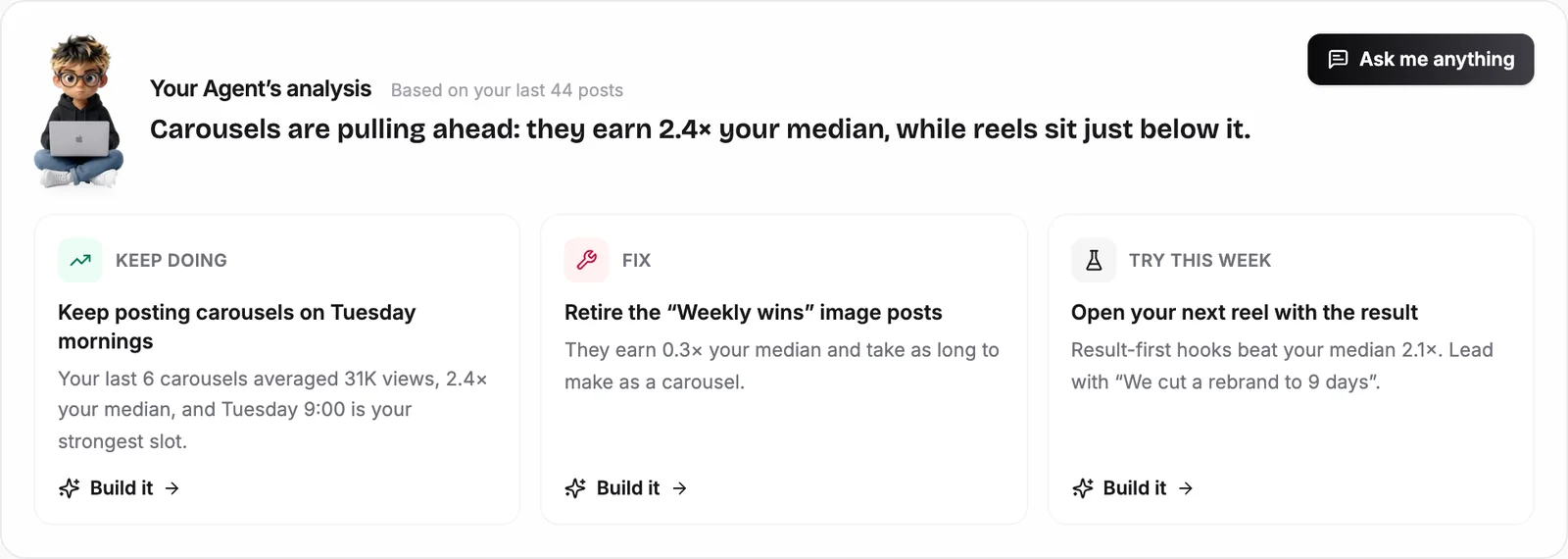
The agent reads every post on your account and compares each one with your own median. That is what makes the analysis useful: a post that did twice your usual views is a winner whether you have 500 followers or 500,000. It works out:
- which formats (carousels, reels, images) earn the most for you;
- which hooks and topics your audience responds to;
- your best days and times to post.
Step 2: It studies your competitors
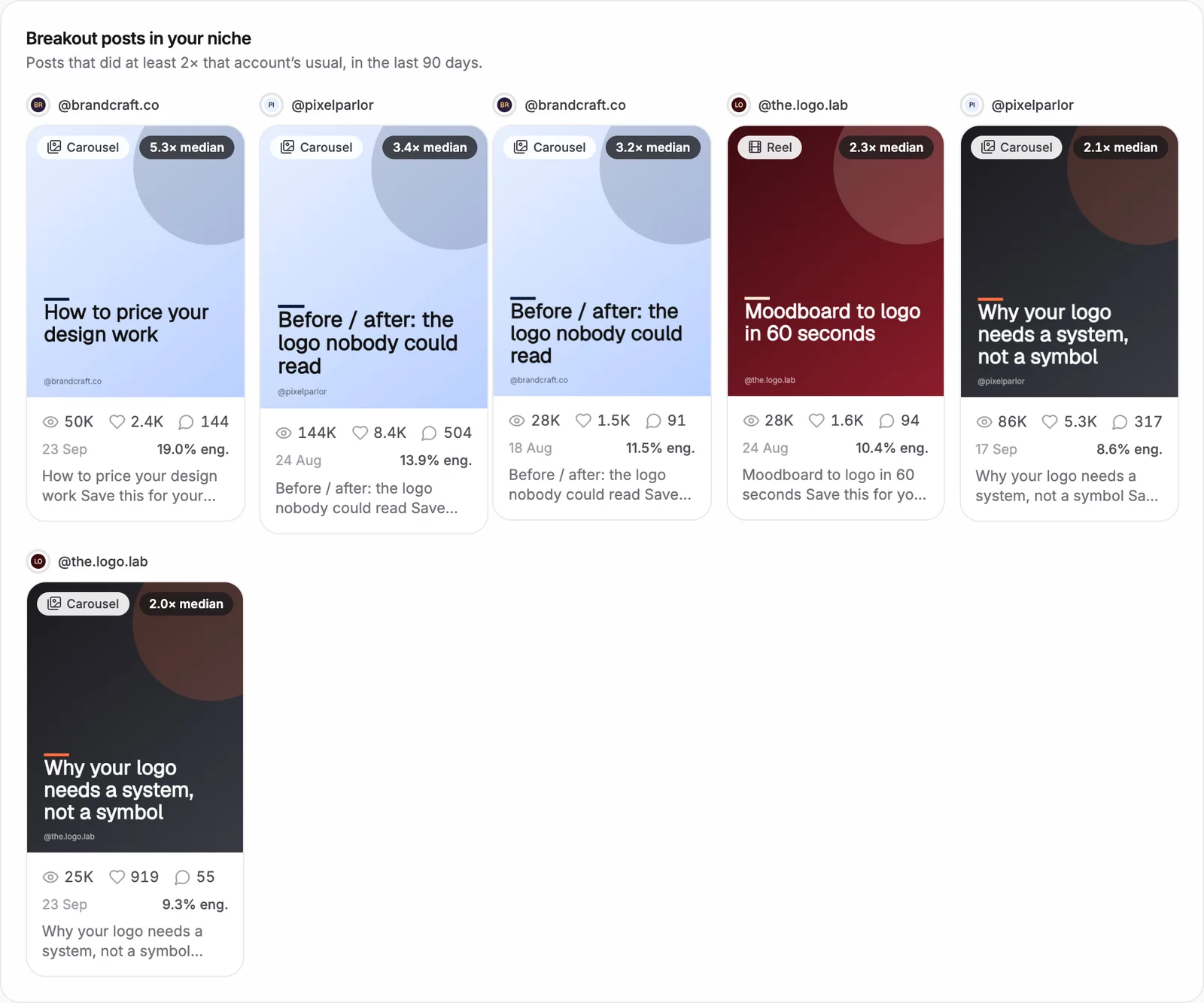
Next it looks outward. It suggests accounts in your niche, tracks the ones you pick, and flags their breakout posts: posts that did at least twice that account's usual views. Those show you formats and topics your audience already wants. The agent turns them into plays you can run, never copies.
I explain how I use this every week, and the competitor trick in detail, in how to grow on social media with Claude and an AI agent.
Step 3: It builds a data-driven content plan
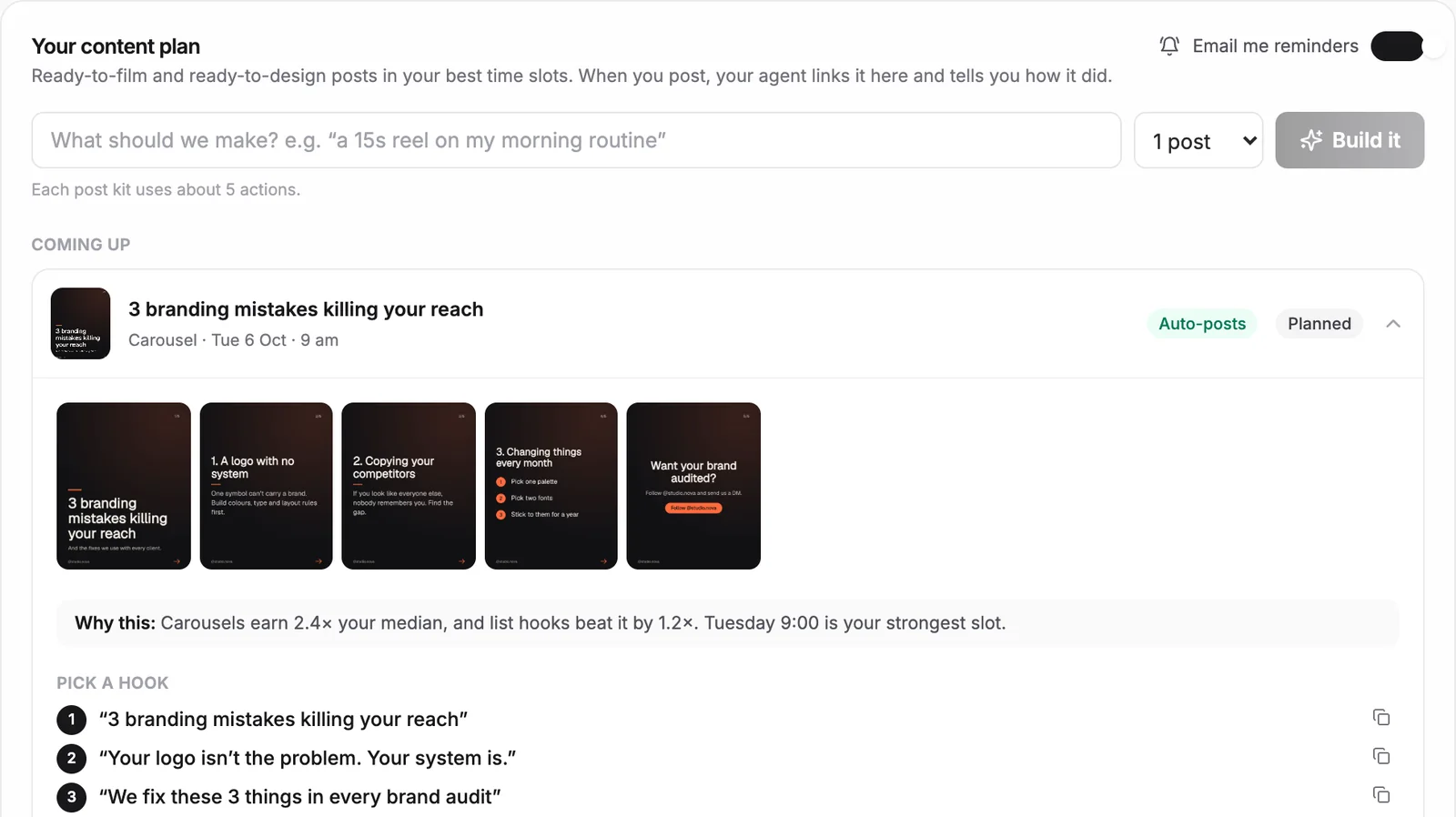
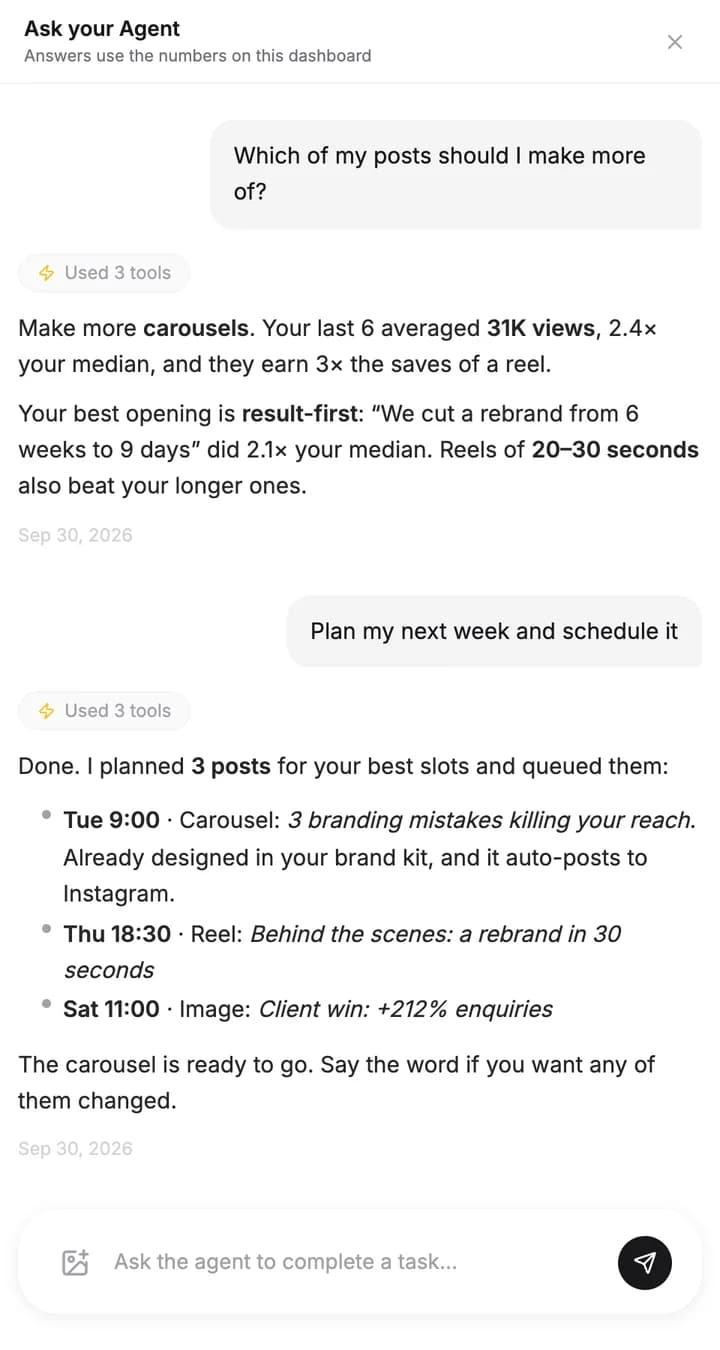
With both reads in hand, the agent plans your next posts: the topic, the format, the platform, and the day and time. Every post comes with a one-line "why this", so you can see the data behind each choice instead of trusting a guess.
Step 4: It creates the posts
This is where most tools stop and the agent keeps going. For each post it writes several hook options, the script or slide text and the caption. Carousels and images are designed in your brand kit (logo, colors, font and layout), and you can edit any slide before it goes out.
Step 5: It posts, or sends it to you for approval
Every post lands in your plan at your best time. You choose what happens next, post by post: approve it, let the agent post it for you, or get a reminder and post it yourself. Nothing goes live unless you connect the account and turn posting on.
Step 6: It learns from the results
After posts go live, the agent checks how each one did against your median and feeds that into the next plan. Week by week, its picks of hooks, formats and times get sharper, because they are based on more of your own data.
How Do You Set Up Social Media Automation?
There are two ways to set it up. Pick the one that matches how much time you want to spend on setup.
| Ready-made agent | Build your own with Claude | |
|---|---|---|
| Setup time | About 5 minutes | An afternoon, plus connecting accounts |
| What you need | Your profile link | Claude, connectors to your accounts, a Drive folder |
| Dashboards and charts | Included | You build them |
| Runs every week on its own | Yes | Only if you schedule it |
| Cost | Free plan for 1 account; paid plans to design and post | Your Claude plan |
Option 1: Use a ready-made agent (about 5 minutes)
- Sign up free. No card required.
- Paste your public profile link: Instagram, TikTok, YouTube or a Facebook Page. No password needed.
- Read your first analysis, ready in minutes: your winning posts, best formats and best times.
- Ask the agent what to post next, or ask it to plan your week.
- On a paid plan, approve the designed posts or let the agent post them for you.
Option 2: Build your own agent with Claude
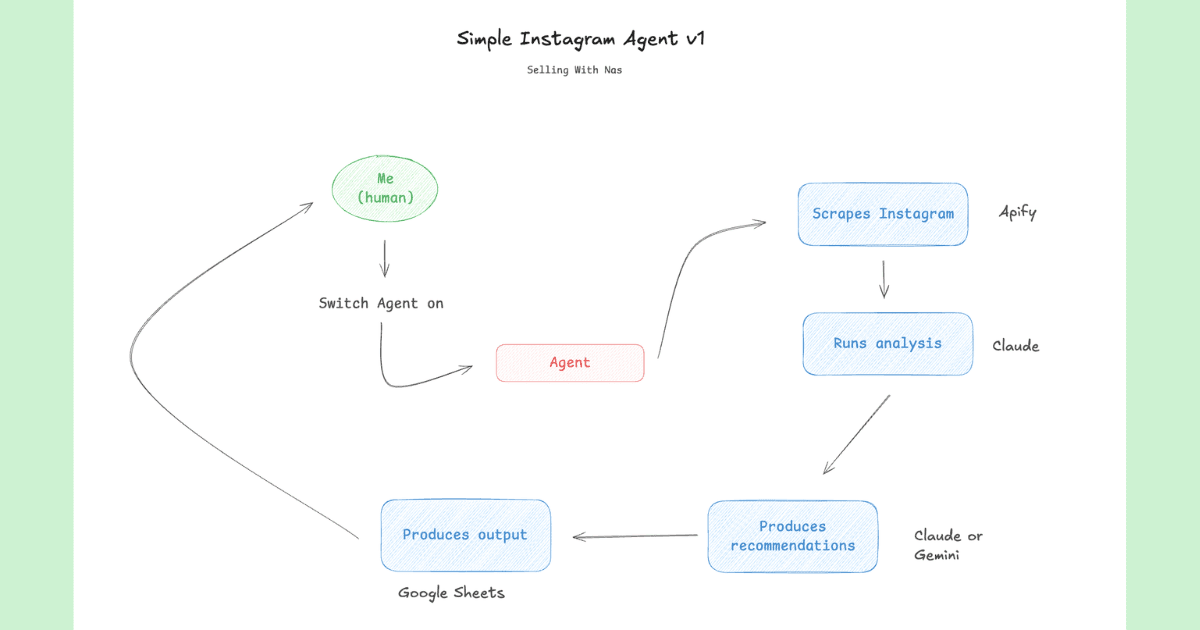
If you prefer to build it yourself, you need three things: a capable model with tool use such as Claude, connectors to your social accounts, and a folder (for example in Google Drive) where it saves finished posts. Create a Claude Project, paste the prompt below into its instructions, and swap the brackets for your details. New to this? Our guide on how to build an AI agent walks through the setup, and how to build a social media AI agent has a simpler Instagram-only version.
The prompt
You are the autonomous social media agent for [Company]. You run the whole content cycle end to end: analyze, plan, create and deliver, without a human prompting each step.

STEP 1 - ANALYZE OUR CHANNELS
Read the connected accounts ([Instagram, TikTok, YouTube, Facebook, LinkedIn, X]). Learn the brand voice, the best-performing formats and hooks, the posting cadence, and which topics drive reach, saves and engagement. Compare every post with the account's median, not with raw views.

STEP 2 - STUDY THE COMPETITION
Analyze [competitor accounts] and similar accounts in the niche. Find their breakout posts (2x or more their usual views), the hooks and formats that keep working, the content gaps we can own, and the trends worth using now.

STEP 3 - BUILD A DATA-DRIVEN CONTENT PLAN
Turn what you learned into a plan for the next [2 weeks]: the topic, format (reel, carousel, short, static), platform, day and time, and goal of every post. Give one line of evidence from the data for each choice.

STEP 4 - CREATE THE CONTENT
For each post, write the hook, the script or slide text, and a ready-to-use caption with hashtags. Create the images and slides in our brand colors and font, sized for each platform. Keep it on-brand and native to each platform.

STEP 5 - DELIVER FOR APPROVAL
Save every finished asset and caption to [Google Drive folder], organized by platform and date, so all a human has to do is review and post. Nothing is published without approval.

STEP 6 - LEARN AND REFINE
After posts go live, read the results, compare them with the plan, and update what you know about our audience. Each cycle, improve the hooks, timing and formats you choose.

RULES
- Never invent numbers. If data is missing, say so.
- Never copy a competitor's post. Borrow the pattern, not the content.
Two honest limits of the DIY route: it runs when you open a chat, not on a schedule, and long runs in a chat app can hit usage limits halfway through. To make your carousels with Claude, add the Web Asset Generator skill; for full videos, see how to build free AI videos with Claude and HyperFrames.
How Do You Automate Social Media Without Hiring an Agency?
You automate social media without an agency by letting an agent do the repeatable work (the analysis, the plan, the hooks, the designs and the scheduling) and keeping the parts only you can do: your expertise and your voice on camera. That gives you a consistent presence on every platform without a retainer or a full-time hire, and it improves the longer it runs. Small teams use the same approach across the business; see AI agents for small business for other workflows, or the SEO and GEO agent guide to automate your search traffic too.
Summary
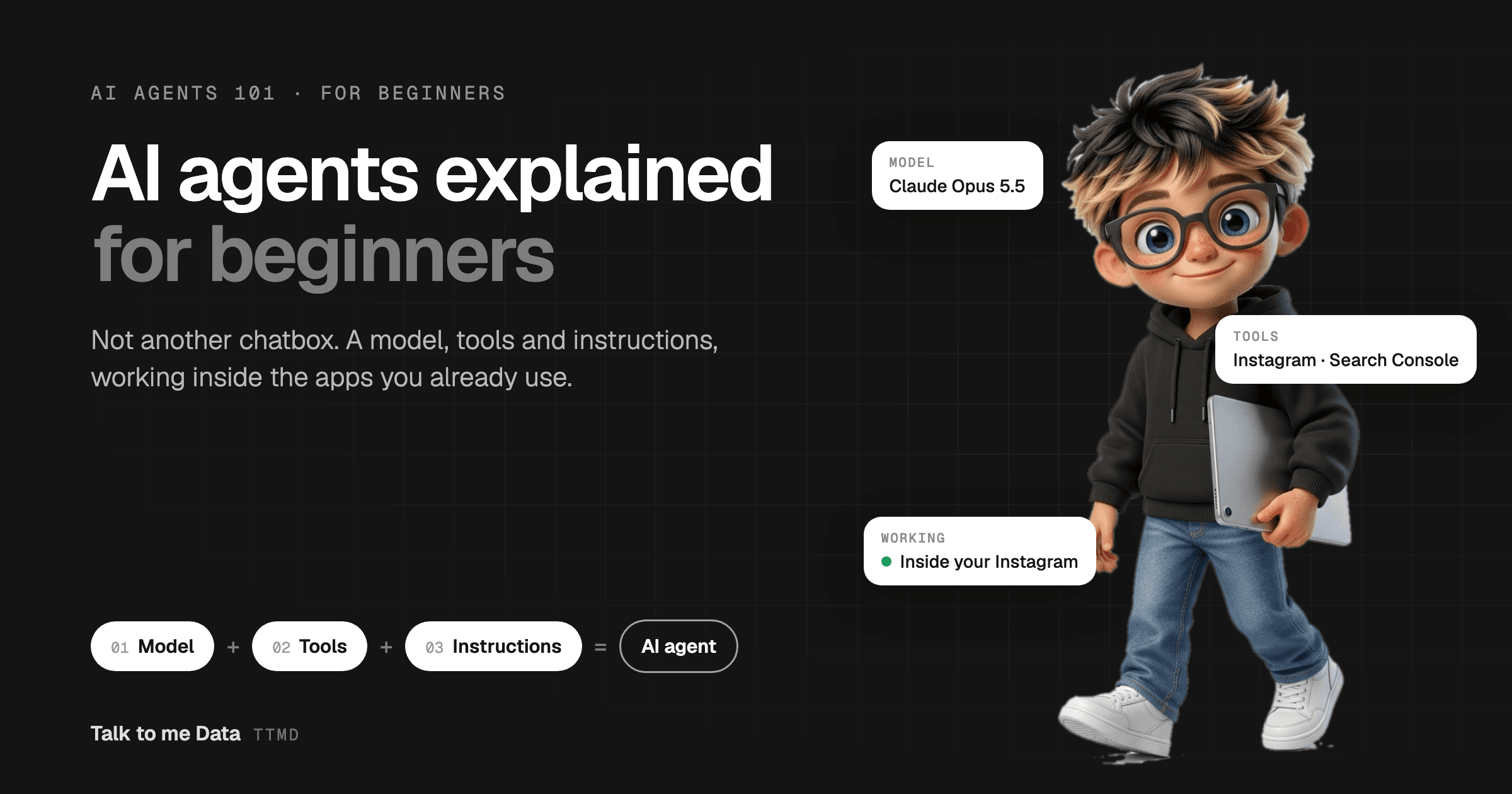
Automating social media with AI means handing the whole content cycle to an agent: analyze your channels, study competitors, plan the next posts, create them, post them, and learn from the results. Start with a ready-made agent if you want results this week, or build your own with Claude and the prompt above. Either way, the posts are built on what your data says works, not on guesswork. New to agents in general? Start with what AI agents are.
Frequently Asked Questions
Which platforms does the social media agent support?
Does it actually create the images and videos, or just the text?
Does it post automatically, or do I stay in control?
How does it know what content will perform?
Does it get better over time?
Is there a free way to automate social media with AI?
Keep reading
Related guides
Social Media Automation
How to Grow on Social Media with Claude and an AI Agent
Social Media Automation
How to Build a Social Media AI Agent (With the Exact Prompt to Copy)
AI Agents