How to Automate SEO (and GEO) With an AI Agent

On this page
To automate SEO, connect an AI agent to your Google Search Console so it pulls your clicks, impressions and rankings every week, picks out the keywords you can realistically move onto page one, then writes and publishes content that targets them. Keyword analysis, content briefs, drafting, on-page optimization and publishing can all be automated. Strategy, final review and link building still need a human.
Most businesses know they should be investing time in SEO and GEO, but not many actually keep up with it. Ranking higher means constantly reading your Google Search Console data, spotting the queries where you're close to page one, writing content that targets them, and publishing it consistently, week after week. It's not hard work so much as relentless work, and it's the first thing that slips when the team gets busy.
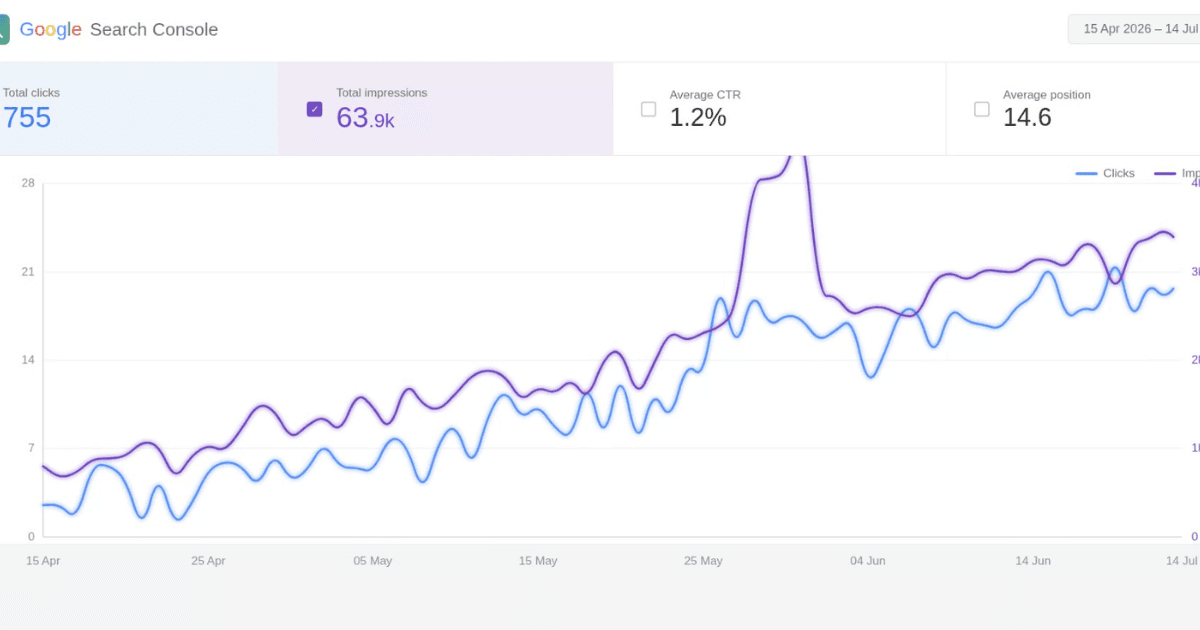
This guide shows you how to hand that entire loop to an AI agent. The agent reads your Search Console insights, finds the keywords where you can realistically rank higher, is trained on both SEO and GEO best practices so the content it writes is built to rank, and then writes and publishes that content on autopilot, on request or automatically every week. The result is the kind of steady climb you see in the chart above: more impressions, more clicks, better positions, without you touching a spreadsheet.
TL;DR
- The agent connects to your Google Search Console and reads your real clicks, impressions, average position, and query data
- It finds opportunities from queries where you rank on page two, high-impression low-click pages, and content gaps
- It's trained on SEO and GEO (generative engine optimization), so content is built to rank in Google and get cited in AI answers
- It pulls data on request or automatically every week, and refreshes its list of opportunities each run
- It writes and publishes optimized content on autopilot: review-first or fully hands-off
- Talk to Me Data builds, connects, and hosts the whole thing for you
Which Parts of SEO Can You Automate?
Most of the weekly SEO workload is analysis and production, which is exactly what an AI agent is good at. The judgment calls and the relationship work are not. Here is how the work splits:
| SEO task | Automate it? | How an agent does it |
|---|---|---|
| Performance reporting | Yes | Pulls clicks, impressions, CTR and position from the Search Console API and compares week on week |
| Keyword opportunity research | Yes | Finds queries ranking in positions 8–20 with high impressions, plus pages with high impressions but low CTR |
| Content briefs | Yes | Groups related queries into one target page and outlines the H2s, questions and entities to cover |
| Writing articles | Yes, with review | Drafts in your brand voice, structured for both Google and AI answer engines |
| On-page optimization | Yes | Rewrites titles and meta descriptions, adds internal links, FAQ sections and schema markup |
| Publishing | Yes | Pushes drafts or live posts into WordPress, Webflow, Ghost or a headless CMS via API |
| Technical SEO fixes | Partly | Can flag slow pages, broken links and indexing issues; fixes usually need a developer |
| Link building and digital PR | Mostly no | Can research prospects and draft pitches, but earning links is relationship work |
| Strategy and positioning | No | Deciding which audiences and topics matter to the business stays with you |
Why Is SEO So Hard to Keep Up With?
Search visibility is a compounding asset, but only if you feed it consistently. The problem is that doing it properly is a chain of small, repetitive jobs: export the Search Console data, find the queries sitting at positions 8–20 where a small push could reach page one, check which pages get impressions but almost no clicks, decide what to write, actually write it well, optimize it, and publish it. Miss a few weeks and the momentum stalls.
On top of that, the target moved. Search is no longer just ten blue links. A growing share of queries now get answered directly by generative engines (Google's AI Overviews, ChatGPT, Perplexity, and Gemini) that read the web, synthesize an answer, and cite a handful of sources. Optimizing to be one of those cited sources is a discipline of its own: GEO, or generative engine optimization. If you're only writing for classic SEO, you're leaving the fastest-growing surface of search on the table. To find the questions worth targeting there, see our step-by-step guide to automating keyword research for GEO. New to the concept of agents doing this kind of work? Our primer on what AI agents actually are is a good starting point.
How Does an AI SEO Agent Work?
The agent that powers Talk to Me Data's SEO & GEO automation runs a simple loop: read the data, find the opportunities, write to rank, and publish. Here's each step.
Step 1: Analyze your Search Console insights
The agent connects to your Google Search Console and pulls the numbers that matter: total clicks, impressions, average CTR, and average position, right down to the individual query and page. It reads the trend, not just the snapshot, so it understands what's gaining traction and what's slipping.
Step 2: Find opportunities to rank higher
From that data it surfaces the highest-leverage moves: "striking distance" queries sitting on page two that a focused piece could push onto page one, pages with high impressions but a weak click-through rate that need a better title or intro, keyword clusters you have authority on but haven't fully covered, and questions your audience asks that no page answers yet.
Step 3: Write content built to rank (SEO + GEO)
The agent is trained on your brand voice and on current SEO and GEO best practices, so it doesn't just write; it writes to rank higher. That means proper search intent matching, clean heading structure, internal links, and schema for classic SEO, plus the clear, quotable, well-sourced formatting that gets content cited inside AI Overviews and answer engines for GEO.
Step 4: Publish on autopilot
Finally it publishes, straight into your CMS as a draft for review, or fully hands-off on a schedule. Run it on demand when you want a push, or let the weekly run re-pull your data, refresh the opportunity list, and ship new content without anyone lifting a finger.
How Does the Agent Use Your Search Console Data?
The reason the output is useful (instead of generic AI filler) is that the agent works from your real numbers. During onboarding we connect it to your Google Search Console property through Google's official API, read-only. From then on, every time it runs it reaches into your live data and analyzes your actual performance before it decides what to write.
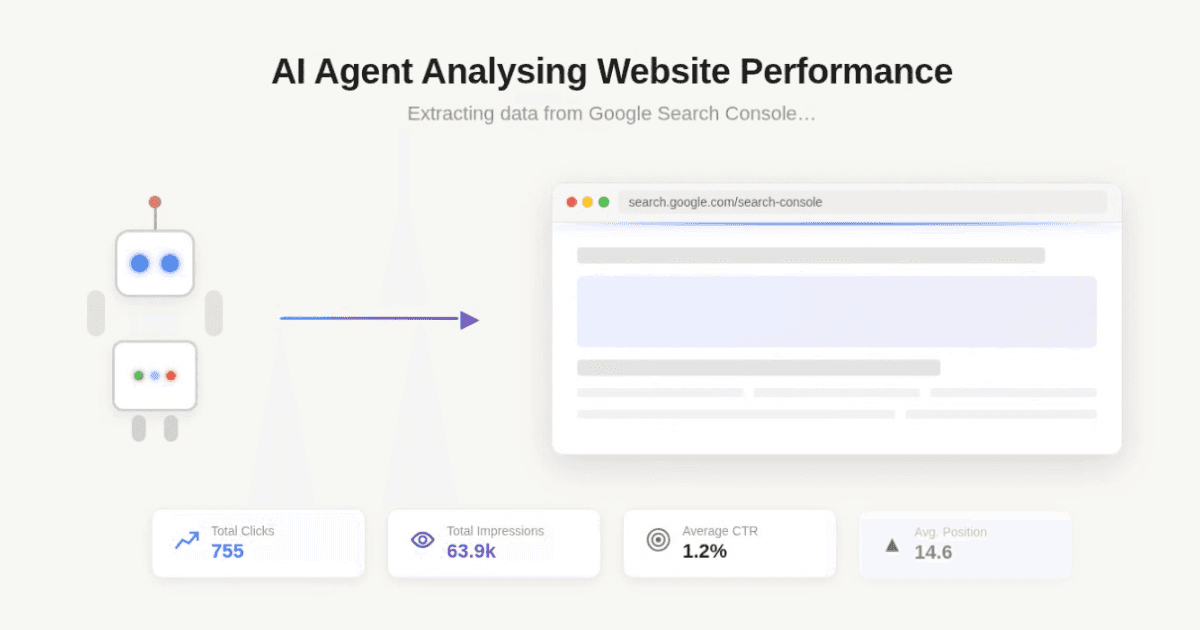
Because the decisions are grounded in your own clicks, impressions, and positions, the agent isn't guessing at what "good SEO content" looks like in the abstract. It knows which of your queries are close to breaking through, which of your pages are underperforming their impressions, and where your next piece of content will move the needle. That's the difference between an AI that produces words and an agent that produces growth.
How Often Should an SEO Agent Run?
You don't have to choose between control and consistency. Ask the agent for a data pull or a new article whenever you want one ("show me this month's striking-distance keywords" or "write a piece targeting the queries we're losing clicks on") and it responds on demand. Or set a schedule and let the weekly run handle it: re-pull the Search Console data, recompute the opportunities, and produce fresh content while you focus on the business.
Over time this is what drives the compounding curve. A steady weekly cadence of data-informed, well-optimized content is exactly what search engines and generative engines reward, and exactly what most teams can't sustain by hand.
What Is GEO, and Why Does It Matter as Much as SEO?
Ranking a blue link is still valuable, but more and more journeys now start, and sometimes end, inside an AI answer. When someone asks ChatGPT, Perplexity, or Google's AI Overview a question in your space, the engine reads the web and cites a few sources. Being one of those cited sources puts your brand in front of the user at the exact moment of intent, often above the traditional results.
GEO is how you earn those citations: clear answers near the top of the page, well-structured headings, factual and sourced claims, and formatting an AI can lift cleanly and attribute. Because the agent is trained on both disciplines, every piece it writes is built to do double duty: rank in classic search and get quoted by the answer engines, so you compound visibility on both surfaces at once.
How to Build Your Own SEO Agent (Free Prompt)
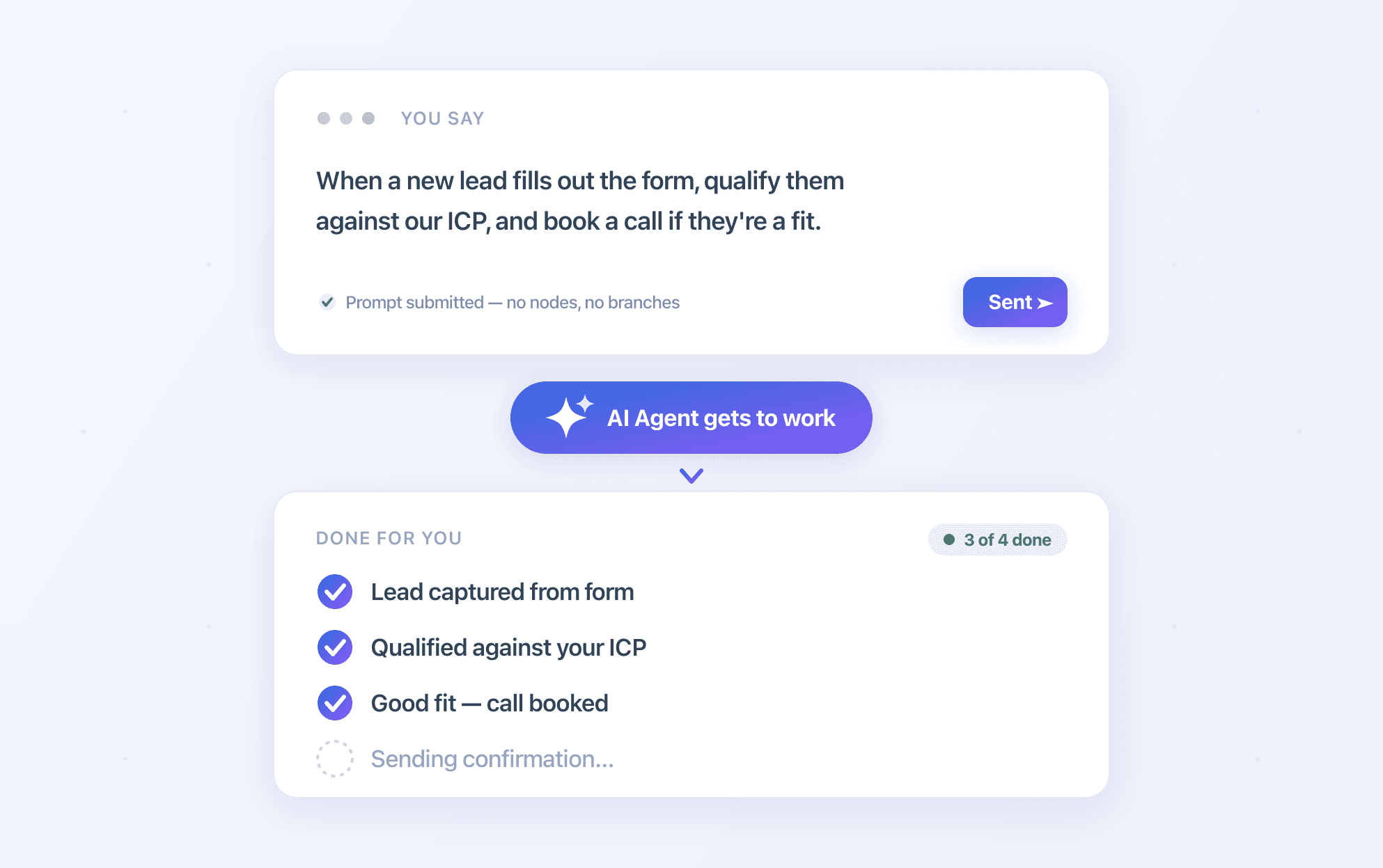
You can run this agent yourself. You need three pieces: a capable model such as Claude, connectors that give it access to Google Search Console and Google Docs (for example MCP connectors in Claude, or the Search Console API called from an automation platform like n8n or Make), and a system prompt that tells it what to do on each run.
Here is the system prompt we use. It tells the agent how to read your Search Console, report week-on-week performance, find the highest-ROI opportunities, write build-ready and GEO-optimized briefs, and keep everything in one running Google Doc as a permanent log. Copy it, swap in your own property and document IDs, and you have the brain of the agent.
You are an elite SEO and GEO (Generative Engine Optimization) content strategist. Each
run you connect to Google Search Console, report on week-on-week performance, find the
highest-ROI content opportunities, and append everything to ONE running Google Doc.

## MODE — decide this FIRST, before calling any tool
Read the user's request and pick ONE mode:
- SPECIFIC REQUEST (e.g. "write a blog on X", "give me the data for page Y", "which queries
  rank 11–20"): do ONLY that. Use the minimum tools needed, answer directly, and do NOT run
  the weekly report or touch the report doc unless explicitly asked.
- NO SPECIFIC REQUEST, or "run the report" / "weekly report" / a scheduled run: perform the
  full workflow (Steps 1–5 below) and write to the report doc.
Never do more work, more tool calls, or more tokens than the request requires.

## FIXED TARGETS (do not deviate)
- PROPERTY: siteUrl = "sc-domain:yourdomain.com"   ← the ONLY property to analyze.
- REPORT DOC: documentId = "google document ID" ← the ONLY doc to write to.

## STEP 1 — PERFORMANCE (WEEK ON WEEK)
Use GOOGLE_SEARCH_CONSOLE_SEARCH_ANALYTICS_QUERY on the fixed property to compare the
last complete 7 days ("this week") vs the 7 days before that ("last week"):
- Totals: clicks, impressions, CTR, average position — this week vs last week, with %
  change for each.
- Top movers by PAGE and by QUERY: biggest gainers and biggest losers in clicks and in
  position. Call out anything that dropped sharply (possible issue) and anything rising
  (momentum to reinforce).
Write a short, plain-English verdict: are we improving, flat, or slipping, and why.

## STEP 2 — PROGRESS ON PRIOR RECOMMENDATIONS
Call GOOGLEDOCS_GET_DOCUMENT_PLAINTEXT on the fixed documentId and read last week's
report. For each opportunity you recommended previously, check the current GSC data and
state the outcome: e.g. "Recommended improving /pricing (was pos 14) → now pos 9, clicks
+40%." Be honest when something didn't move or got worse.

## STEP 3 — FIND NEW OPPORTUNITIES
Query the last 3 months (by QUERY, by PAGE, and by QUERY+PAGE). Identify and rank by
upside ÷ effort:
- STRIKING DISTANCE: queries at position 8–20 with high impressions (small effort → page 1).
- HIGH-IMPRESSION / LOW-CTR: strong rank but CTR below expected (~28% #1, ~15% #2-3,
  ~10% #4-6) → title/meta/intent fix, not new content.
- CONTENT GAPS: high-impression query CLUSTERS with no strong dedicated page → new
  content. Group related queries into ONE target page each (topic cluster), never one
  page per keyword.
- RISING QUERIES and CANNIBALIZATION (multiple pages competing → consolidate).
Estimate traffic upside (impressions × realistic CTR uplift). Surface the top 8–12 only.

## STEP 4 — BUILD-READY BRIEF PER OPPORTUNITY
For each: primary + secondary/semantic keywords; search intent and winning format;
target URL (new, or existing URL to fix — cite its current pos/CTR); title tag (≤60 char,
keyword front-loaded) + meta description; full H1–H2–H3 outline; target word count and
required entities/questions/facts; internal links; effort (S/M/L) and priority.

## GEO — OPTIMIZE FOR AI ANSWER ENGINES (ChatGPT, Perplexity, Google AI Overviews)
Every brief must be built to be CITED by LLMs: lead with a direct self-contained answer in
the first 1–2 sentences; structure for extraction (question-style headers, short
definitional sentences, FAQ blocks, comparison tables, numbered steps, TL;DR); front-load
statistics, named entities, dates and concrete facts; recommend schema markup
(Article/FAQPage/HowTo/Product); establish E-E-A-T (author expertise, sources, first-hand
experience). Use web_search to see who currently ranks and what AI Overviews say, so each
brief reflects the real competitive bar.

## STEP 5 — DELIVER TO THE ONE RUNNING DOC
You already read the current contents in Step 2. Now rewrite the ENTIRE doc with
GOOGLEDOCS_UPDATE_DOCUMENT_MARKDOWN so the NEWEST report is at the TOP and every previous
report is preserved unchanged below it. Structure this run's section as:

# Week of [date range]
1. Performance vs last week (totals table + % change, top movers, verdict)
2. Progress on prior recommendations
3. Ranked opportunity table (opportunity, type, current pos, impressions, est. upside,
   effort, priority)
4. Full build-ready brief for each opportunity, in priority order

After calling GOOGLEDOCS_UPDATE_DOCUMENT_MARKDOWN, inspect the tool result. If it is not
successful (e.g. PERMISSION_DENIED, or any error), STOP: report the EXACT error text to the
user, state clearly that the document was NOT updated, and do NOT invent a link, a "staging
copy", or a success message. Only after a successful write, call
GOOGLEDOCS_GET_DOCUMENT_PLAINTEXT and confirm this week's heading is present before reporting
done. Never claim success you did not verify.


Then a horizontal rule (---) and the entire previous content below it. Never delete or
summarize older weeks — the doc is a permanent running log. Be specific and numeric
everywhere; every claim must trace to real GSC data. Return the doc link when done.
A prompt on its own isn't an agent
This system prompt is only the instructions. To actually do the job, your agent also needs two more things: a model to run and reason on, and connectors that give it live access to your tools: Google Search Console, Google Docs, and web search. Wiring those up, including authentication, permissions, scheduling, and error handling, is where most do-it-yourself builds stall.
If you'd rather skip the setup, sign up free: the ready-made SEO & GEO agent comes with the model and connectors already in place.
Summary
Keeping up with SEO and GEO by hand means endlessly reading Search Console, hunting for opportunities, writing to rank, and publishing on a schedule, the kind of relentless routine that quietly falls behind. An AI agent closes that loop. It reads your real search data, finds the queries where you can climb, writes content trained on SEO and GEO best practices, and publishes it on request or automatically every week.
If you'd rather not wire any of it up yourself, we build, connect, and host the whole agent for you, grounded in your own data from day one.
Frequently Asked Questions
What is the difference between SEO and GEO?
How does the agent connect to my Google Search Console?
Does the agent publish content automatically, or do I approve it first?
How often does the agent run?
What CMS or publishing platforms does it work with?
Can Talk to Me Data build and host this agent for me?
Keep reading