AI Social Media Agent
An AI agent that runs your social media
Tell it what you want. It finds your winning posts, tracks your competitors, designs the content, and posts it for you.
- It finds
- It tracks
- It creates
- It posts


- Found your best post · 2.4× your median
- Designed the carousel · in your brand kit
- Scheduled for Tue 9:00 · auto-posts to Instagram
Reads every channel you post on
- TikTok
- YouTube
Auto-posts to Instagram · Facebook · TikTok
The difference
Other tools show you the work. This agent does it.
Most social media tools give you a dashboard and a to-do list. This one is a teammate: you tell it what you want, and it gets it done.
Supports you
- Shows you charts and leaves the analysis to you
- Suggests ideas you still have to write
- Reminds you it's time to post
- Needs a designer for every carousel
Does it for you
- Finds your winning posts and tells you why they won
- Writes the hooks, the script and the caption
- Designs the carousel in your brand kit
- Schedules it into your best slot and posts it

Try it
Tell it what to do. It does it.
Ask a question about your numbers, or tell it what to make. Pick a request and watch the agent work through it.
Ask your Agent
Answers use the numbers on your dashboard
Your conversation with the agent shows up here.
01 · It finds
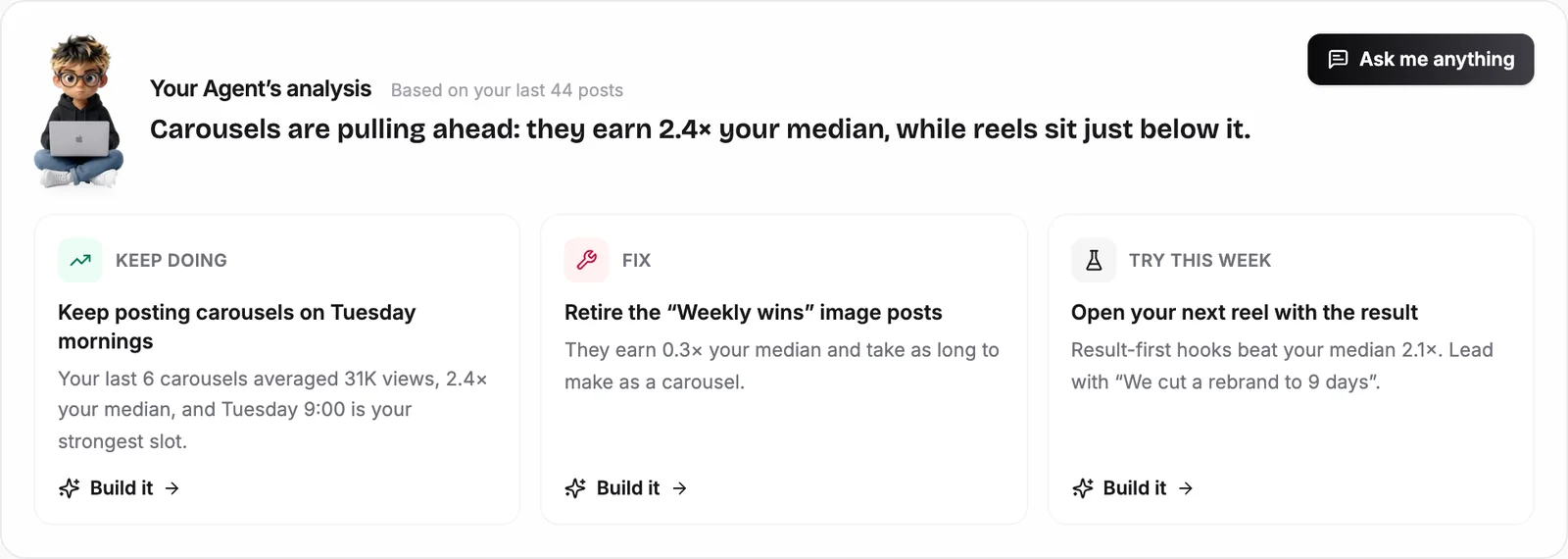
Finds your winning posts, and tells you why they won
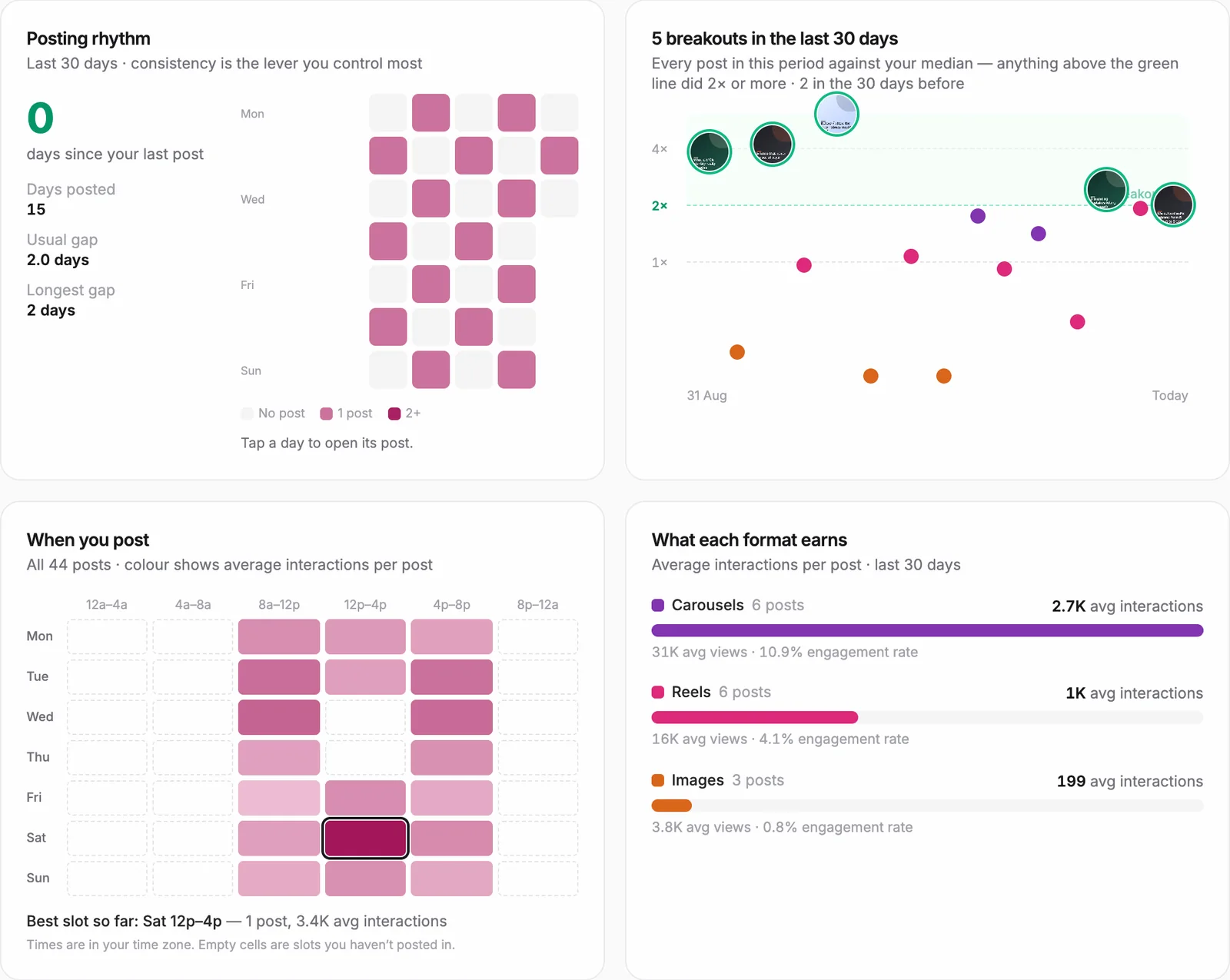
It reads every post on your account and measures it against your own median. Breakouts get flagged, and the patterns behind them get written up for you.
- Flags every post that did 2× or more than your usual
- Finds your best days and times to post
- Shows which formats, video lengths and captions earn the most
- Ends with a plain-English verdict: keep, fix, try
Ask: “Which of my posts should I make more of?”
02 · It learns
Learns what makes your audience stop scrolling
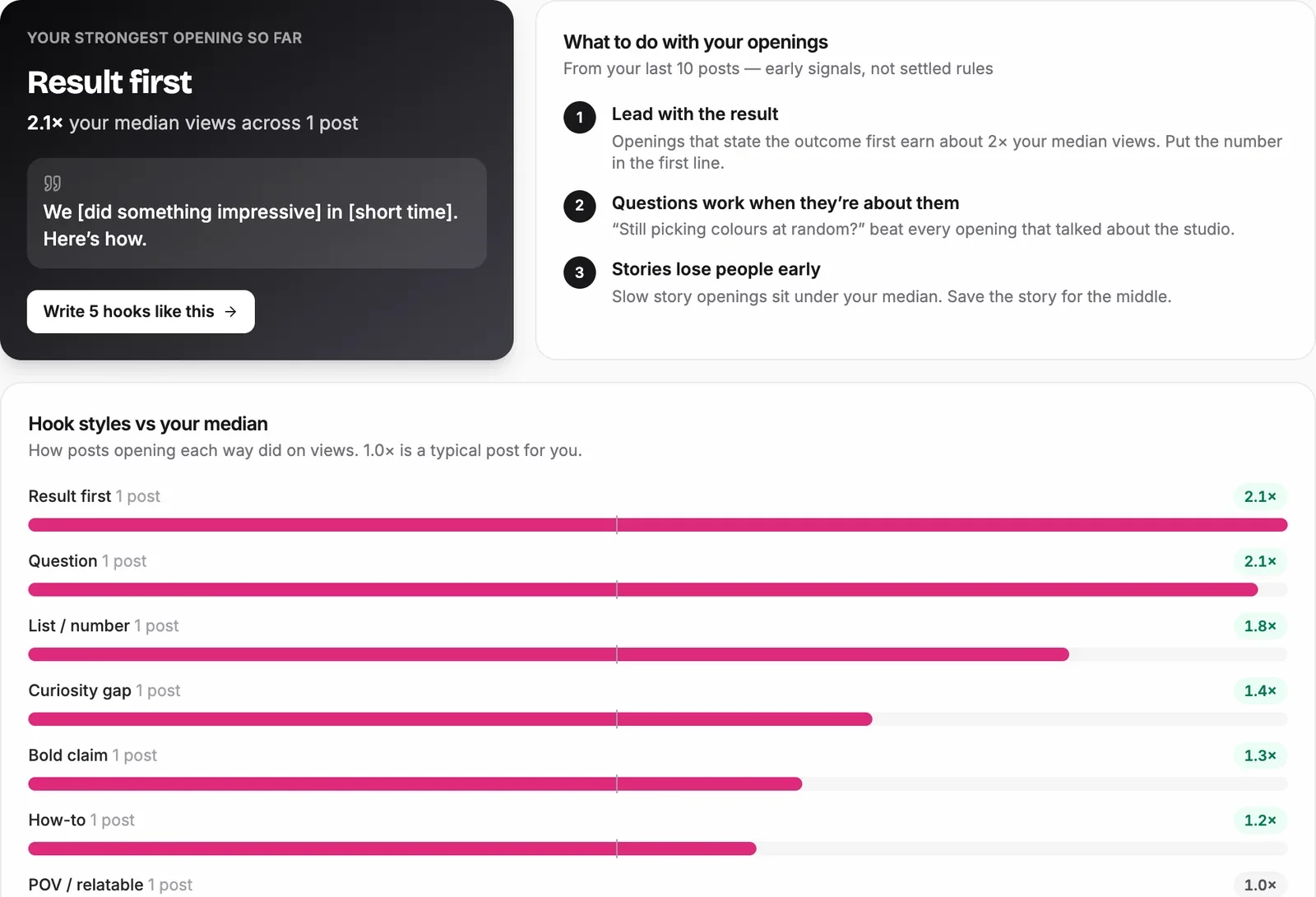
It reads how your latest posts open, sorts every hook into a style, and scores each style against your median. Then it gives you a formula to copy.
- Scores hook styles like question, result-first and list
- Shows your strongest opening and how far it beats your median
- Turns your best opener into a fill-in-the-blank formula
- Writes new hooks in the styles that work for you
Ask: “Give me 5 hooks like my best post”
03 · It tracks
Tracks your competitors, then turns what works into your next post
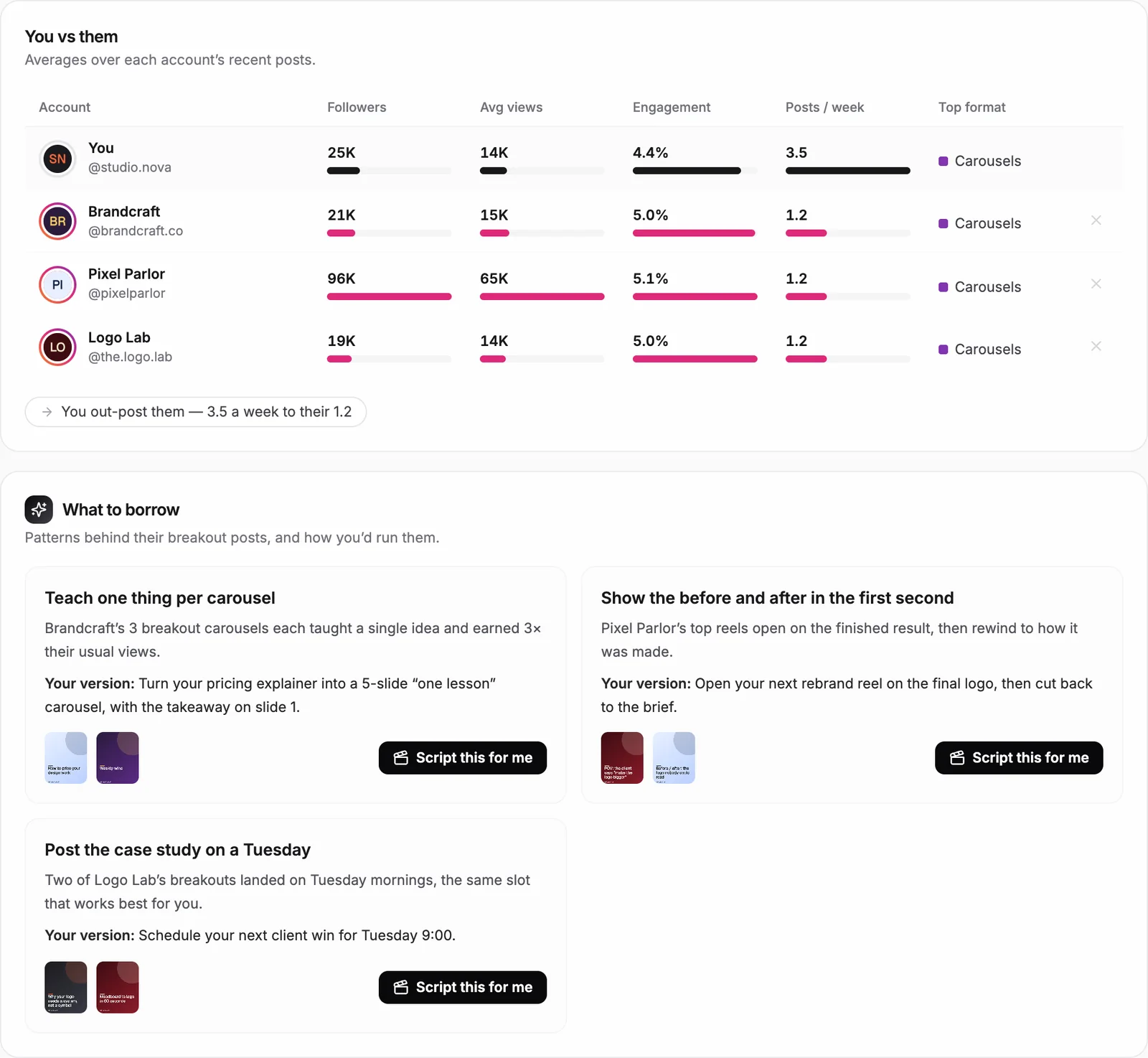
It finds accounts like yours, tracks the ones you choose, and flags their breakout posts. The patterns behind them come back as plays you can run.
- Suggests peers and bigger accounts in your niche
- Compares followers, views, engagement and posting rate side by side
- Flags competitor posts that did 2× their usual
- Writes “what to borrow” plays, and scripts your version on request
Ask: “What are my competitors doing that I'm not?”
04 · It creates
Creates the post: hooks, script, caption and the finished carousel
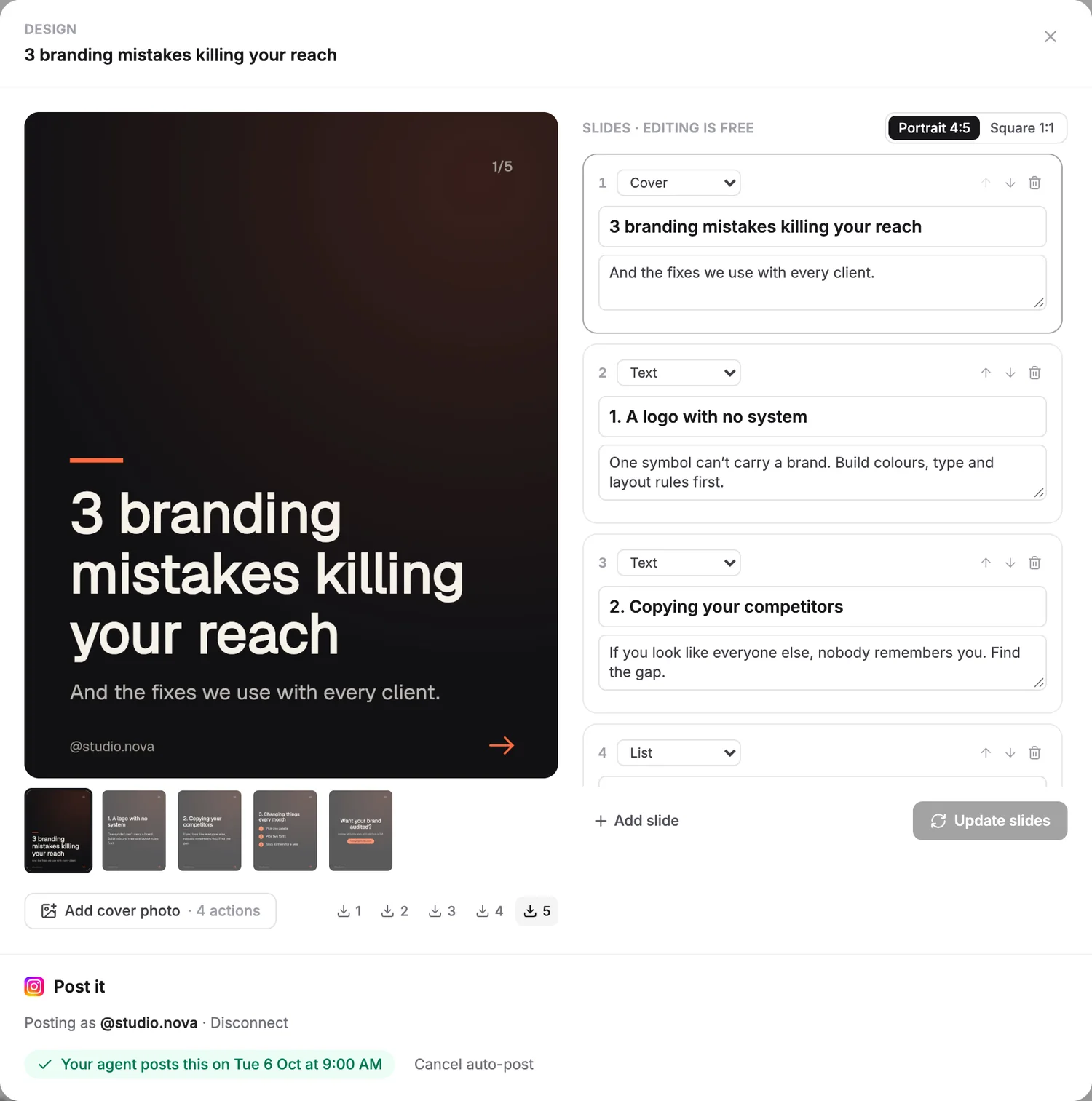
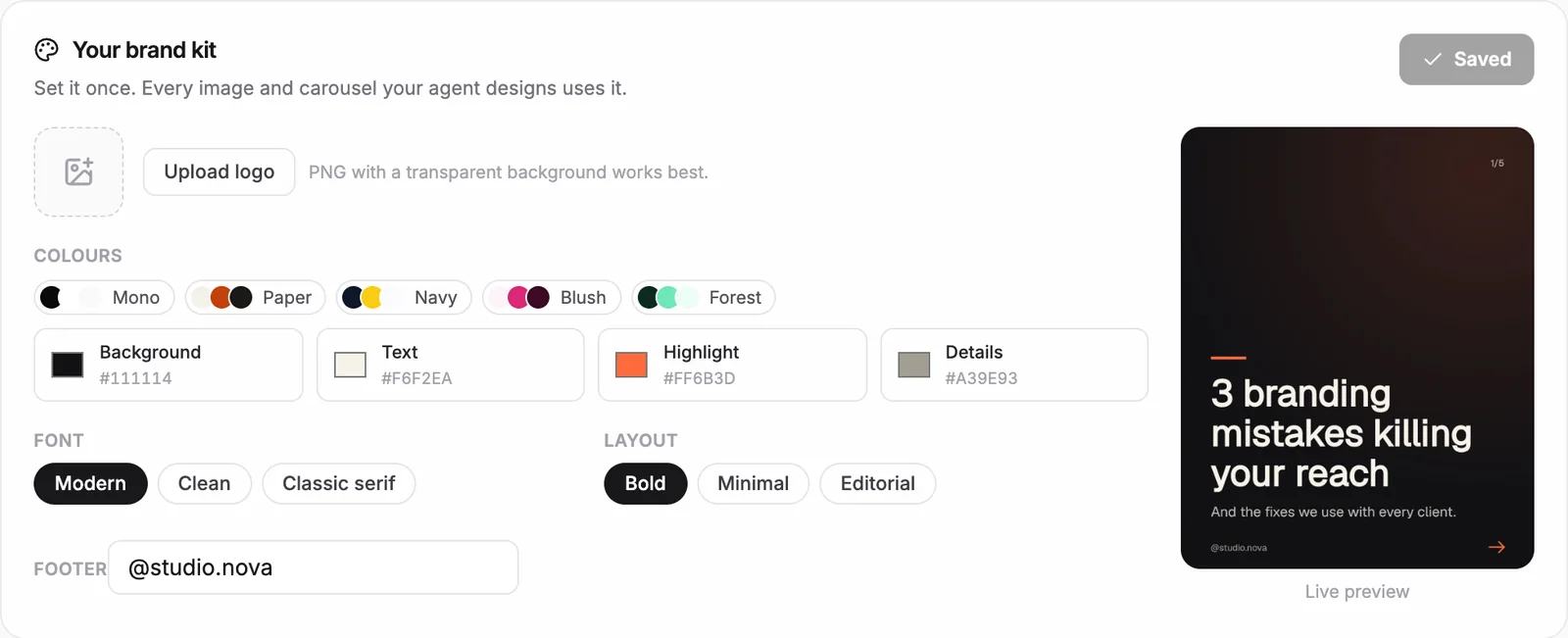
Tell it what to make and it writes the hooks, the script and the caption. For carousels it designs every slide in your brand kit, so it looks like you made it.
- Writes ready-to-film kits from your best-performing posts
- Designs carousels and images in your logo, colours and font
- Edit any slide, or switch between portrait and square
- Set your brand kit once and it applies to everything
Ask: “Make a carousel from my best topic”
05 · It posts
Schedules it into your best slot, then posts it for you
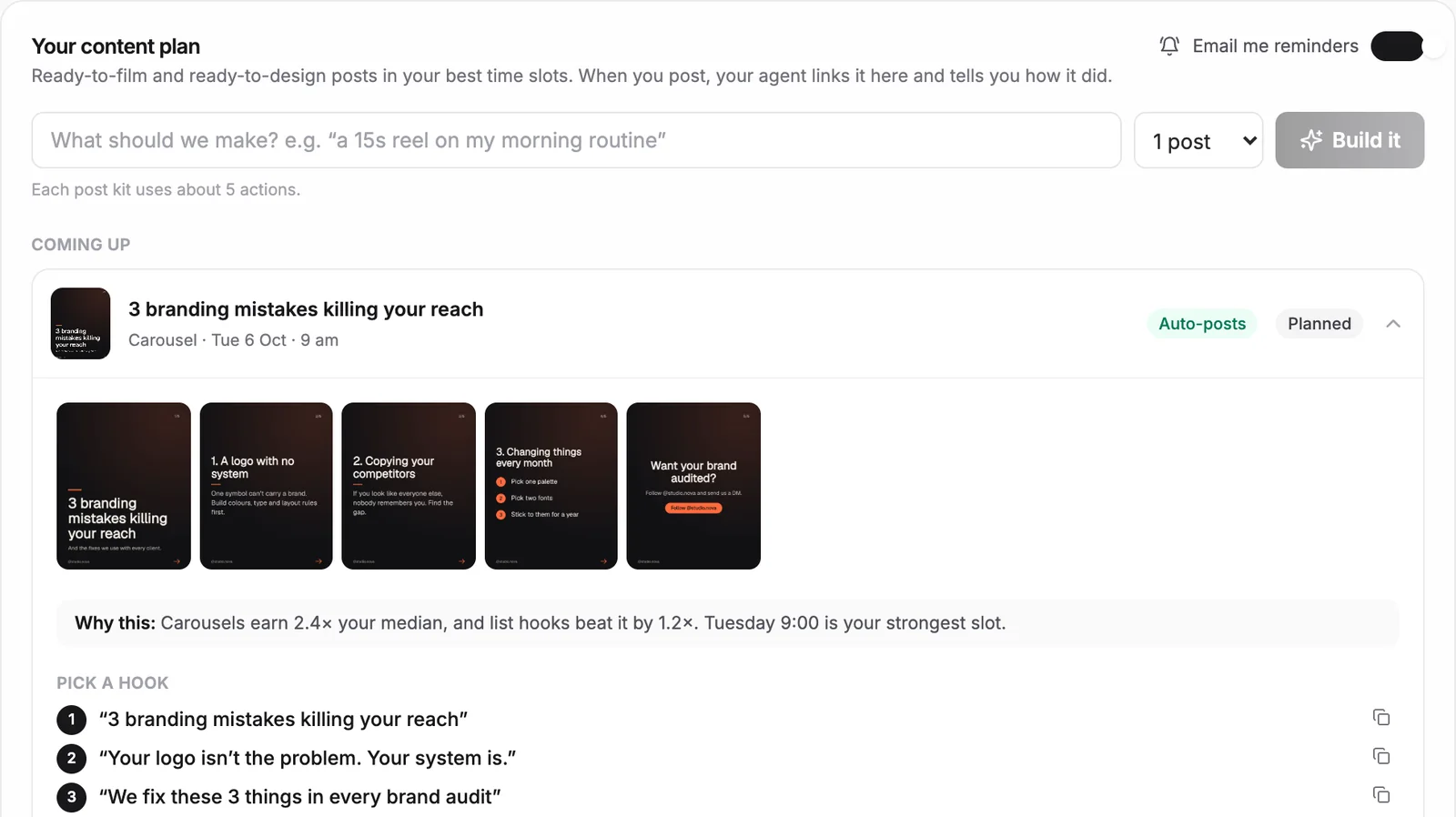
Every post lands in your plan at the time that works for you. Turn on auto-post and the agent publishes it, or get an email reminder if you'd rather post yourself.
- Plans posts into your best days and times
- Auto-posts to Instagram, Facebook and TikTok
- Emails you a reminder with the finished post if you'd rather do it
- Links the post back to your plan and tells you how it did
Ask: “Plan my week, and post it for me”
How it works
From profile link to posted, in three steps
Paste your profile link
Instagram, TikTok, YouTube or a Facebook Page. The agent reads every post and has your first analysis ready in minutes.
Tell it what you want
Ask about your numbers, or tell it what to make: plan my week, script a video, design a carousel. It does the work.
Approve, or let it post
Review each post, or set it to auto-post. Prefer to post yourself? You get an email reminder with the finished post.
Inside the workspace
Everything your agent works from
Real screens from the agent, shown on a sample account.
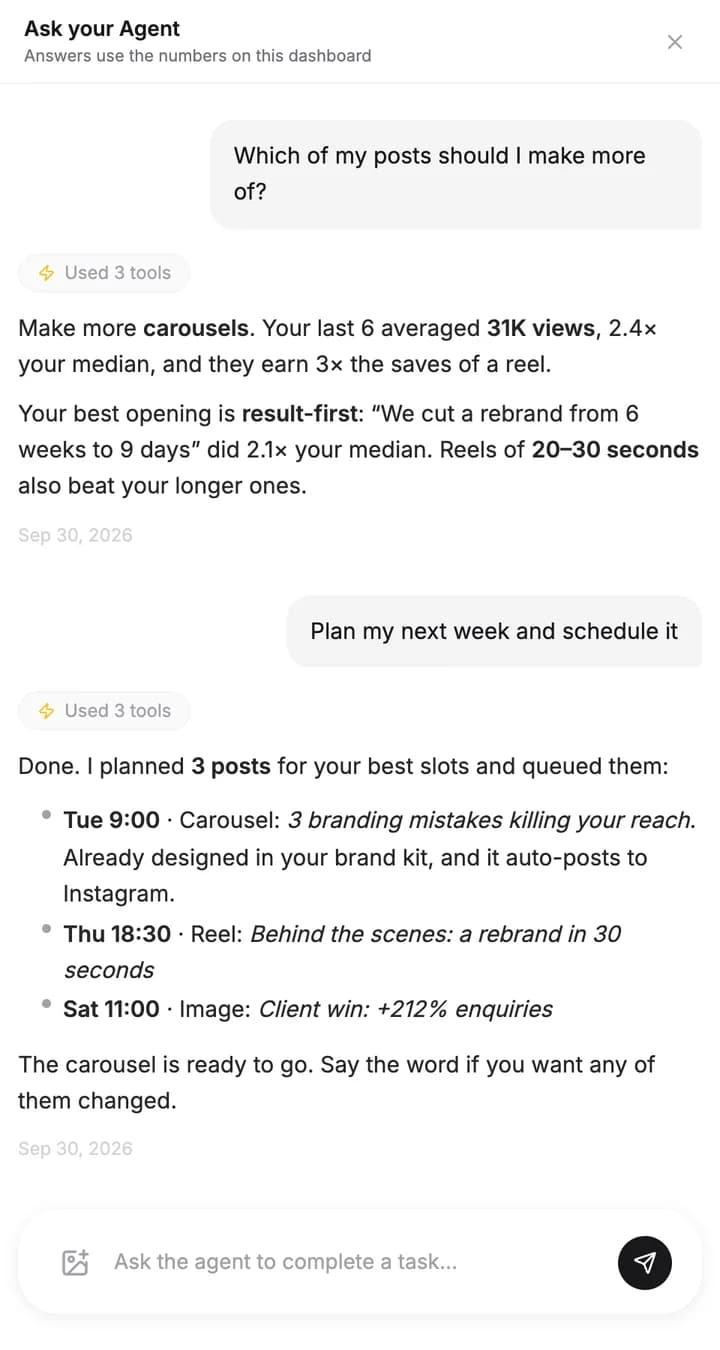
Ask it anything
Answers come from your own numbers, and it says which posts it used.
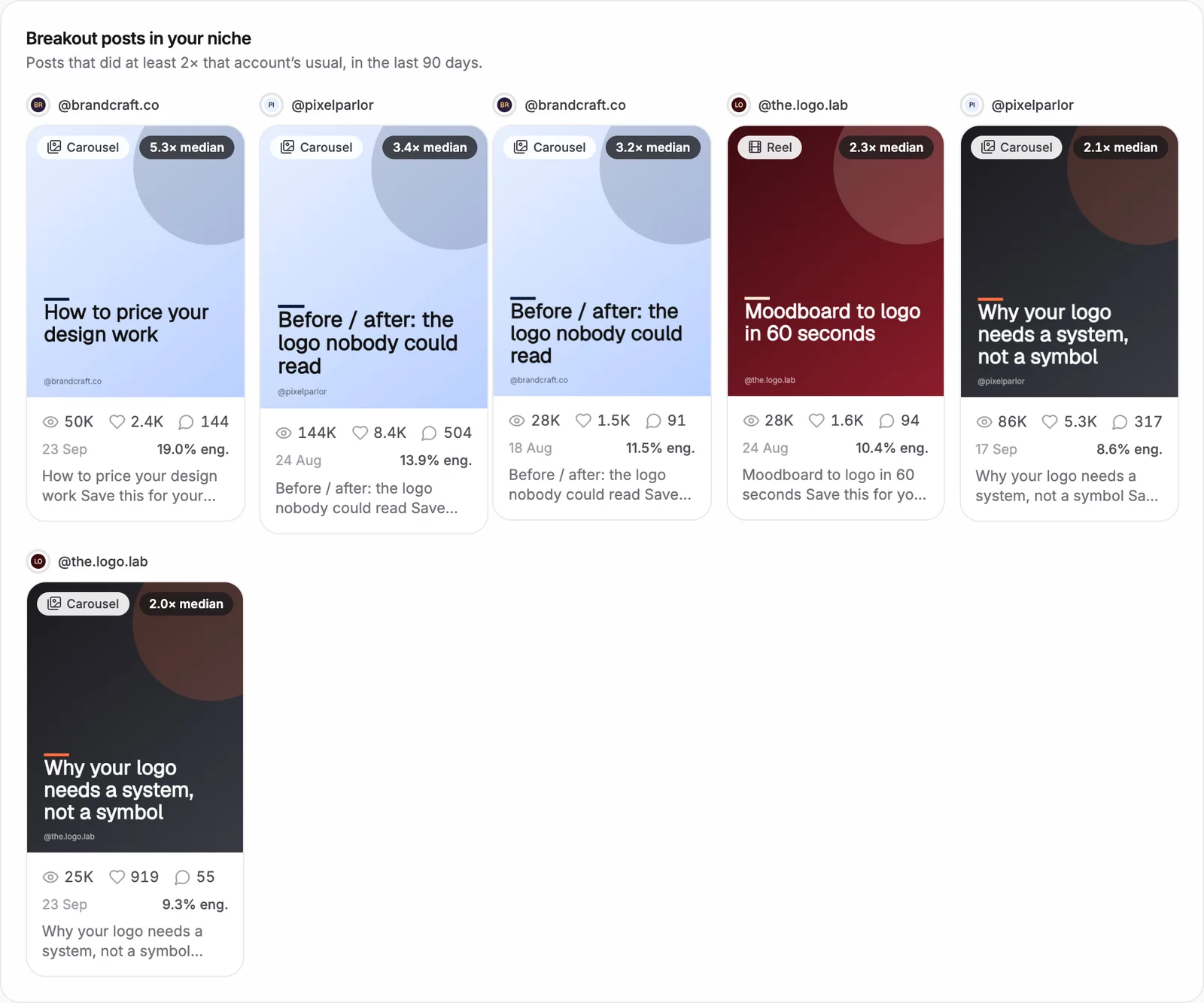
Breakout posts in your niche
The competitor posts that beat their own average, ready to learn from.
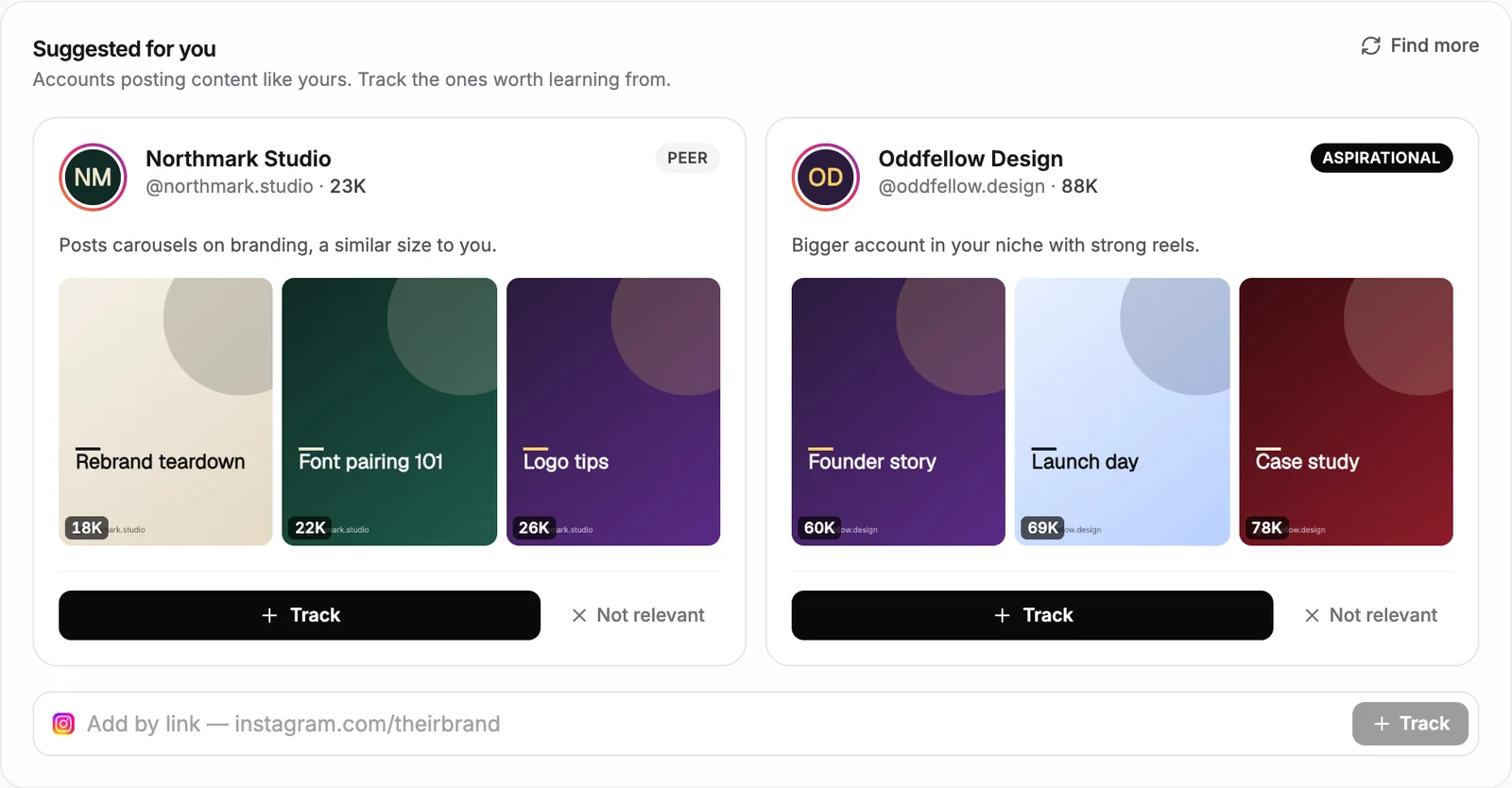
Accounts like yours, found for you
Peers and bigger accounts in your niche, with a preview of their best posts.

Every channel at a glance
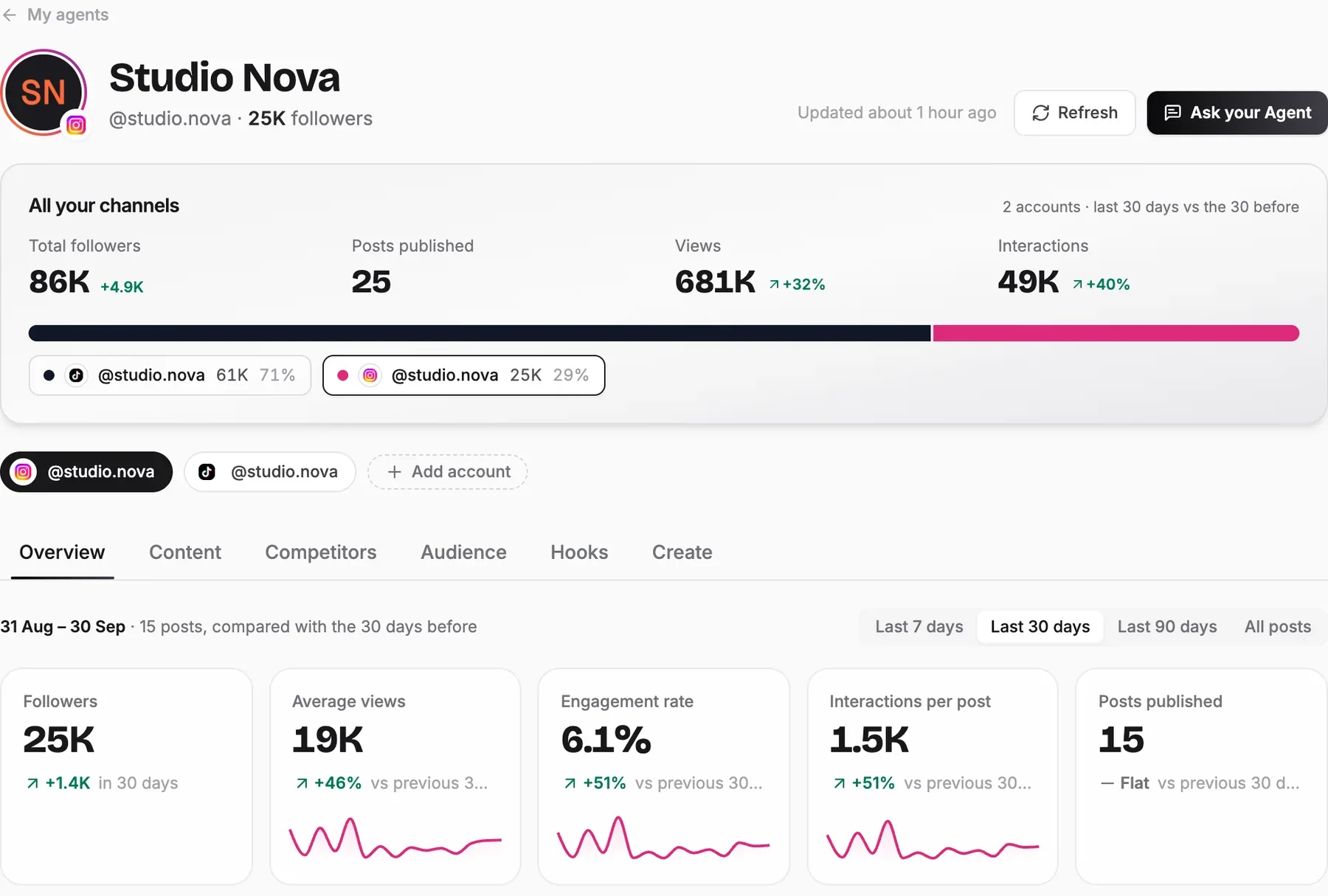
Followers, views and interactions across all your accounts, in one view.
Guides
Learn how this agent works
Social Media Automation
How to Automate Social Media Posting with an AI Agent
A step-by-step guide to an AI agent that analyzes your channels and competitors, builds a data-driven content plan, and creates the images, videos, and captions for every platform, then saves them to your folder. Runs independently, no human intervention.
Social Media Automation
How to Build a Social Media AI Agent (With the Exact Prompt to Copy)
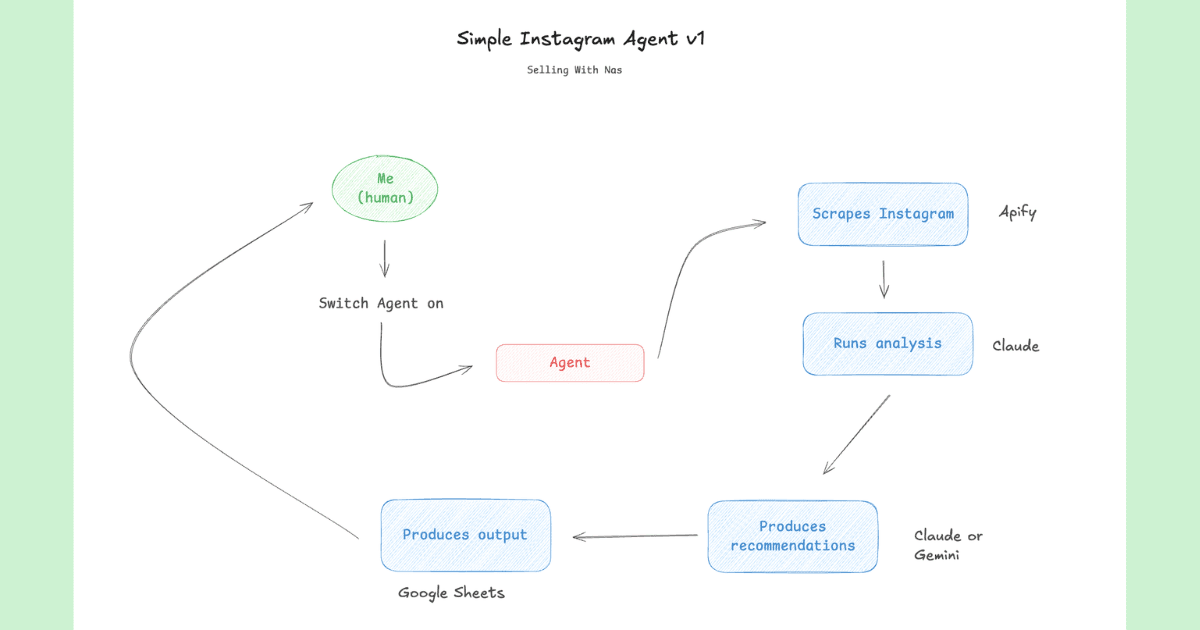
Build an AI agent that scrapes your Instagram, ranks your top-performing posts, extracts your winning hooks, and generates 10 new content ideas, all logged automatically to a Google Sheet. Includes the full prompt.
FAQ
Questions about the social media agent
Hand your social media to an agent
Paste your profile link, watch it find what works, and tell it what to post next.
Screens on this page use a sample account.