AI Agents for Beginners: Everything You Need to Know to Get Started (AI Agents 101)

On this page
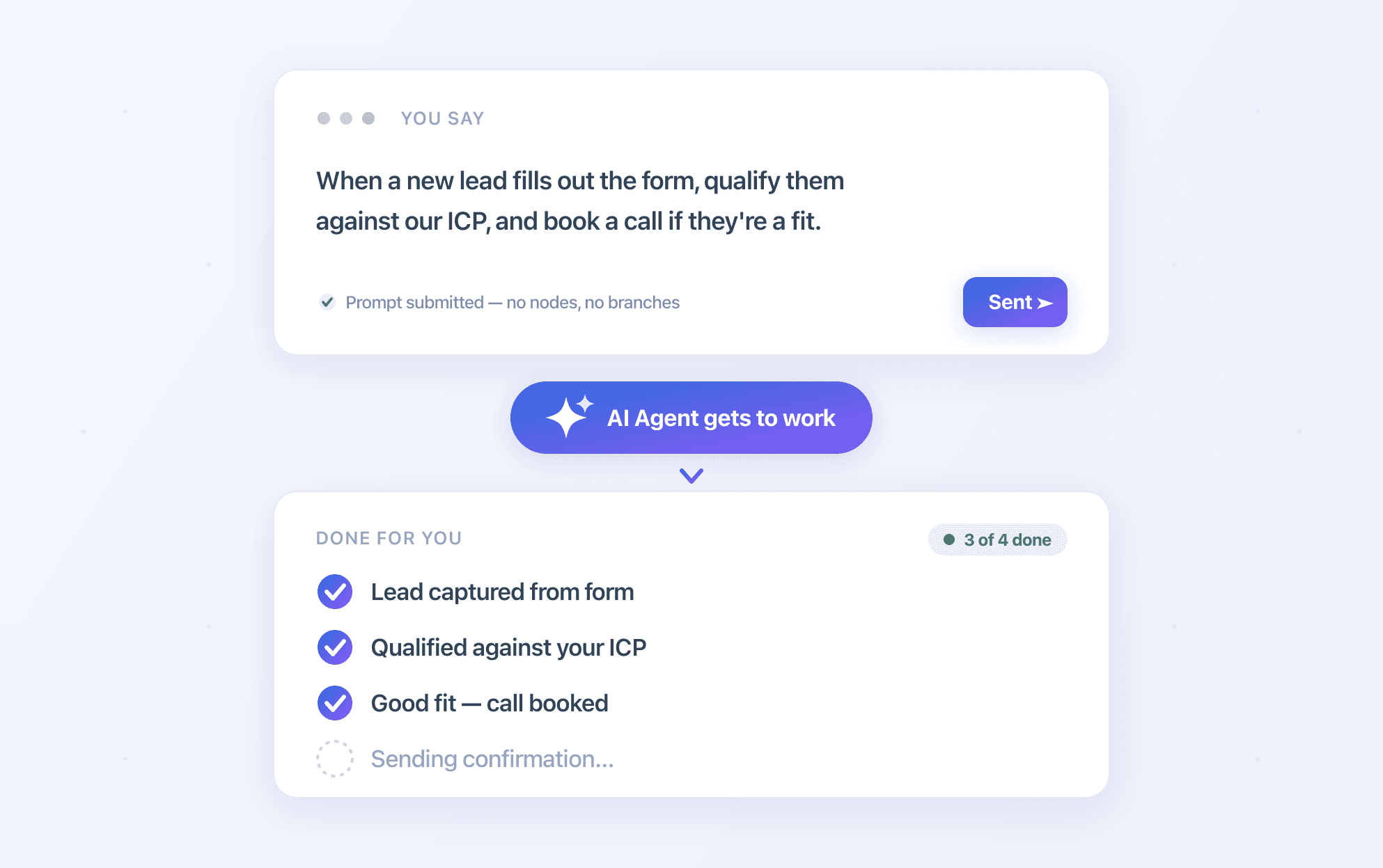
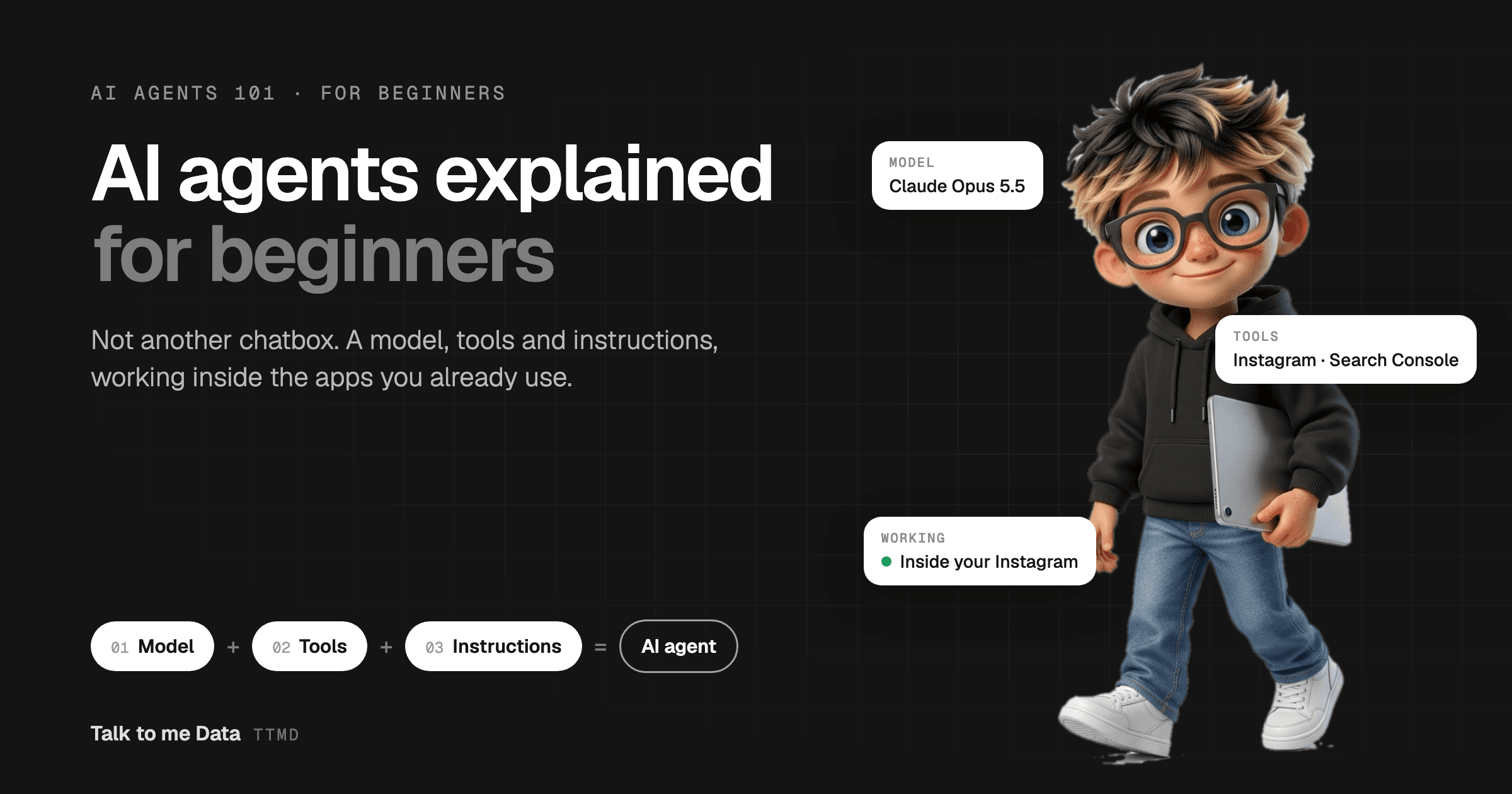
An AI agent is software that works toward a goal on its own instead of waiting for your next message. Every agent has three parts: a model that thinks, tools that let it read data and take actions, and instructions (a system prompt) that define how it behaves. To get started, give one repetitive task to an agent that works inside the app where that task lives.
If AI agents sound technical, expensive or a little scary, this guide is for you. I build and run AI agents every day, and the honest truth is that the idea is simple. This is AI Agents 101: what an agent is made of, why I think most "AI agent" products are built in the wrong place, and how you can get started this week without writing a line of code.
TL;DR
- An AI agent is given a goal, not a single question, and keeps working until it is done
- Every agent is three parts: a model (like Claude Opus 5.5 or GPT-6 Astra), tools (data, MCPs, web search, API calls) and instructions (the system prompt)
- Agents are not meant to live in a chatbox. The useful ones work inside the tools you already use, like your Instagram or Google Search Console
- The best agents then give you an extra layer of insight and visibility on top of that tool
- Start with one task, connect one tool through its official sign-in, and keep the agent in review mode until you trust it
- You can try it free today with the Talk to me Data social media agent or SEO and GEO agent
What Is an AI Agent, in Plain English?
An AI agent is a digital worker that you give a goal to, rather than a question. You don't ask it "write me a caption". You tell it "help me grow my Instagram", and it reads your posts, works out what is working, plans what to post next and, if you allow it, posts it for you.
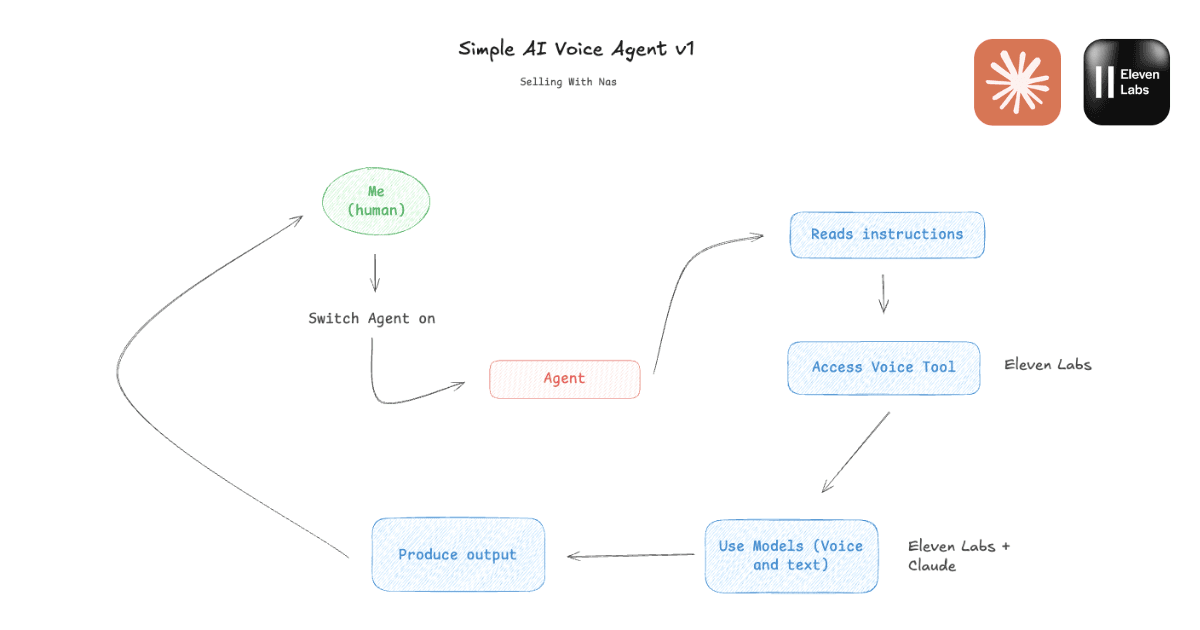
The difference from the AI most people know is that a chat assistant answers and stops. An agent reasons about the next step, uses tools to take it, looks at the result and keeps going. If you want the longer version with the agent loop and the different types of agents, read our plain-English guide to what AI agents are. For getting started, you only need to understand the three parts below.
What Are the 3 Parts of an AI Agent?
Every AI agent, from a simple weekly report bot to a fully autonomous social media manager, is made of the same three parts: a model, tools and instructions. Once you see them, every agent product on the market becomes easy to understand and compare.
1. The model: the brain
The model is the large language model (LLM) that reads, reasons and decides what to do next. As of October 2026 the leading options include Claude Opus 5.5 from Anthropic and GPT-6 Astra from OpenAI, the company behind ChatGPT. The model is what makes an agent able to handle messy, real-world situations instead of following a rigid script.
Beginners tend to obsess over which model is best. In practice, the top models are all capable enough for business tasks. The other two parts decide most of the result.
2. Tools: the hands
Tools are everything the agent can reach beyond its own knowledge. A model on its own can only talk. With tools, it can act:
- Data: large datasets such as your post history, your Search Console clicks, your sales or your customer list
- MCPs: connections built on the Model Context Protocol, an open standard that lets an agent plug into apps like Google Sheets, Gmail or Notion in a consistent, controlled way
- Web search: the ability to look things up live, such as what competitors published this week
- API calls: direct actions in other software, like scheduling an Instagram post or publishing a page to WordPress
Tools are what turn "here is some advice" into "here is the work, done". They are also why an agent's answers can be specific to your business instead of generic.
3. Instructions: the job description
Instructions, usually called the system prompt, are the standing orders the agent follows every time it runs: its role, its goal, the steps to take, the rules it must respect and the tone to write in. If the model is the brain and the tools are the hands, the system prompt is the job description.
Here is a beginner-friendly example for a social media agent. Replace the brackets with your own details:
You are my social media assistant for [@yourhandle], a [what you do] account.

Your goal: help me post content my audience already wants.

Every Monday:
1. Read my last 10 posts and compare each one with my median views.
2. Tell me which format, topic and hook did best, and why you think so.
3. Suggest 3 posts for this week, each with a hook, a short script and the best time to post.

Rules:
- Use my real numbers only. If you don't have the data, say so.
- Write like me: [short, friendly, no jargon].
- Never post anything without my approval.
Notice the last rule. Good instructions don't just tell an agent what to do; they tell it what it must never do without you. That one line is what makes it safe to hand over real work.
Why Shouldn't AI Agents Live in a Chatbox?
Because a chatbox puts the work back on you. You have to export the data, paste it in, ask the right question, copy the answer out and then go and do the task yourself. That is a chatbot with a new label, not an agent.
In my opinion, this is the biggest mistake in AI right now. Most vibe-coded startups build an AI agent that operates inside a chat window and call it innovative. But your business doesn't live in a chat window. It lives in Instagram, in Google Search Console, in your website, your inbox and your spreadsheets. AI agents should work inside the tools you already use, and then give you an extra layer of insight and visibility on top of them.
| "Agent" in a chatbox | Agent inside your tools | |
|---|---|---|
| Where your data comes from | Whatever you copy and paste in | Pulled directly from the app, every time |
| Who does the work | You, after reading the answer | The agent, with your approval |
| When it runs | Only when you remember to ask | On a schedule, or when something changes |
| What you get | Generic advice | Insights from your own numbers, plus the finished task |
| What you need to learn | How to write good prompts | Nothing new: you keep using the tools you know |
You can still talk to a good agent in plain English. The difference is that the conversation is a shortcut on top of the work, not the place where the work has to happen.
What Does an AI Agent Inside Your Tools Look Like?
The easiest way to understand it is to see two real agents. Both are ones we run at Talk to me Data, and both follow the same recipe: a model, tools that plug into an app you already use, and instructions written for one job.
Example 1: the Social Media agent that lives inside your Instagram
The Talk to me Data social media agent works inside your Instagram (and TikTok, YouTube or Facebook Page). You paste your public profile link and it reads every post, compares each one with your own median views, finds your best formats, hooks and posting times, and tracks what is breaking out for competitors in your niche.
- Model: a frontier LLM that reads your posts and writes the analysis and content
- Tools: your post data, competitor accounts, a design studio and the official Instagram connection for posting
- Instructions: grow this account using what already works for it, and never guess a number
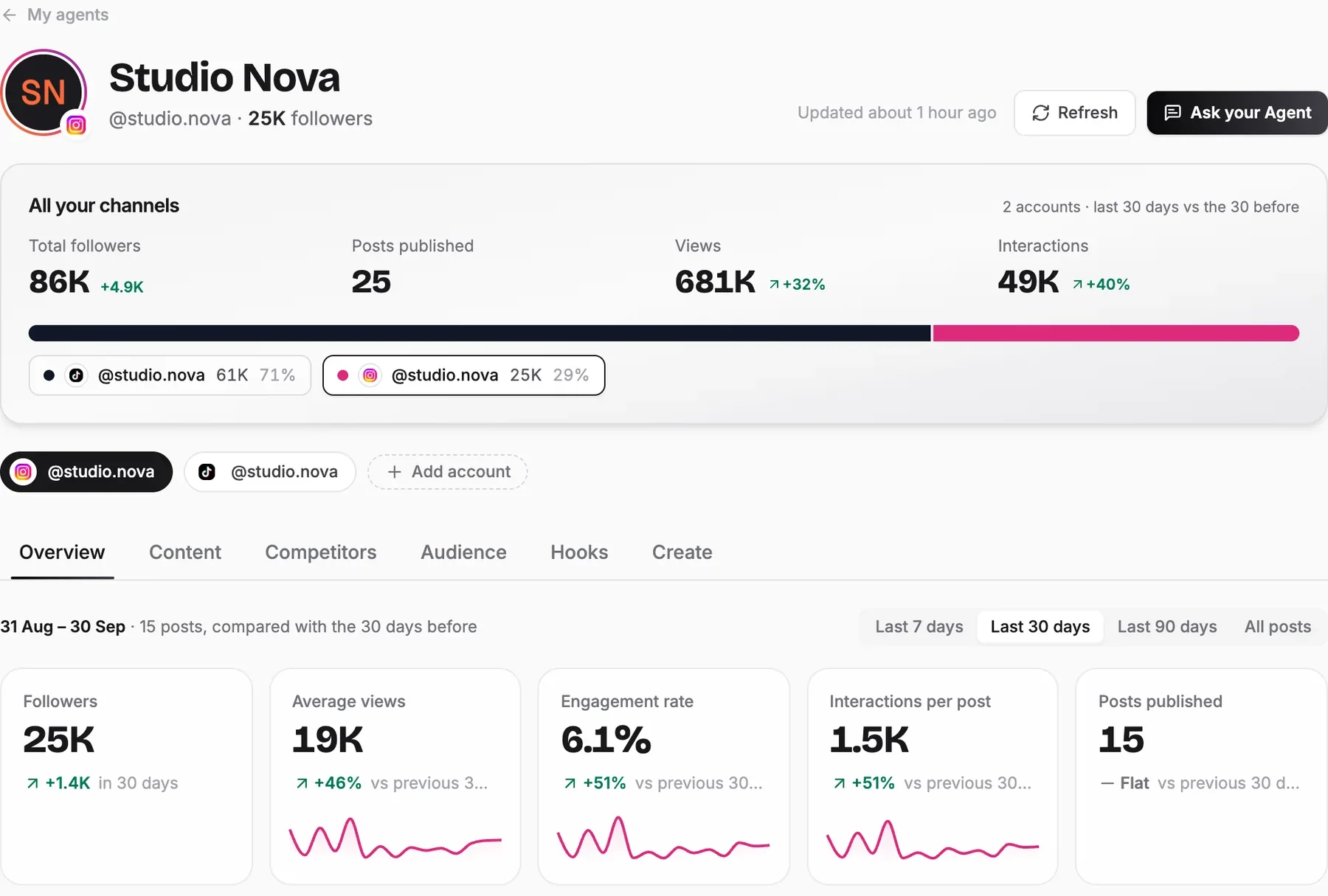
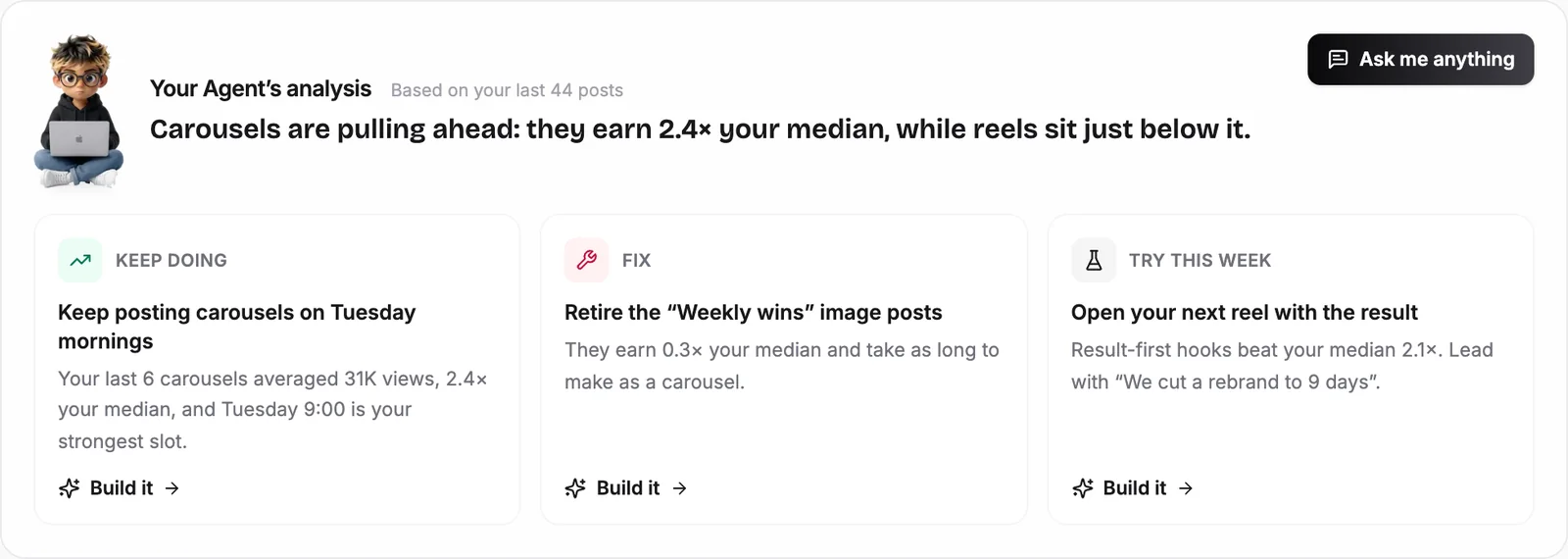
Then it turns what it finds into action. On a sample account, it spotted that carousels earn 2.4 times the account's median, and turned that into three clear moves: what to keep doing, what to fix and what to try this week.
Here is the agent in a 71-second demo:
In the video: the social media agent pulls an account's posts into one dashboard, finds what works, plans the next posts and creates them. For the full walkthrough, read how to grow on social media with Claude and an AI agent.
Example 2: the SEO and GEO agent that lives inside your Search Console and website
The Talk to me Data SEO and GEO agent connects to Google Search Console through Google's own sign-in, with read-only access. It works out which searches you can win, writes pages built to rank on Google and to be quoted by ChatGPT, Claude, Perplexity and Google's AI Overviews (that second part is GEO, generative engine optimization), and publishes them to your WordPress, Webflow, Shopify or Ghost site.
You can ask it questions in plain English, like "why did my clicks drop on /pricing?", or tell it what to do, like "write a page on agency CRMs". Pages can land as drafts for you to review, or you can switch on autopilot once you trust it. Most people start with review first. To see the full workflow, read how to automate SEO and GEO with an AI agent.
How Do You Get Started With AI Agents?
You get started by giving one small, repetitive task to an agent that works where that task already lives. Not your whole business, one task. These are the five steps I recommend to every beginner:
- Pick one task you repeat every week. Checking which posts did well, reading your Search Console report, logging leads in a sheet. If you can describe it in three sentences, an agent can probably do it.
- Find the tool where it lives. That is the tool your agent needs to connect to. If the task lives in Instagram, a chatbox agent is the wrong choice.
- Choose ready-built or build your own. A ready-built agent like ours is the fastest way to see results. If you want to learn by doing, follow our guide on how to build an AI agent step by step.
- Connect with the official sign-in and start in review mode. Never hand over a password. Give the agent the least access it needs, and approve its work before anything goes live.
- Give feedback, then give it more autonomy. Correct it like you would a new hire. Once its suggestions are consistently good, let it act on its own: schedule the posts, publish the pages.
Not ready to sign up for anything? Run our free social media page analyzer first. It is a small taste of what an agent sees when it reads your account.
Are AI Agents Safe for Beginners?
Yes, as long as you stay in control of three things: access, approval and instructions. Most of the fear around AI agents comes from imagining software that does whatever it wants with your accounts. A well-built agent is the opposite.
- Access: it connects through the platform's own sign-in, read-only wherever possible, and you can disconnect it at any time
- Approval: it drafts first and acts only when you say go, until you choose otherwise
- Instructions: its rules say what it must never do, like posting without approval or inventing numbers
The real risk for most small businesses isn't an agent doing too much. It is spending another year doing by hand what an agent could do every week.
AI Agents 101: The Words You'll Hear
You don't need to master the jargon, but these eight terms come up in almost every conversation about agents:
| Term | What it means |
|---|---|
| AI agent | Software that works toward a goal using a model, tools and instructions |
| Model (LLM) | The AI that reads, reasons and writes, e.g. Claude Opus 5.5 or GPT-6 Astra |
| Tool | Anything the agent can use beyond its own knowledge: data, apps, web search, APIs |
| MCP | Model Context Protocol, an open standard for connecting agents to apps and data |
| API | The official way one piece of software talks to another, e.g. to publish a post |
| System prompt | The agent's standing instructions: role, goal, steps and rules |
| Human in the loop | The agent waits for your approval before it acts |
| Autopilot | The agent acts on its own, on a schedule, once you trust it |
Summary
AI agents are simpler than they sound. Every agent is a model, a set of tools and a set of instructions. The ones worth using don't make you work inside a chatbox; they work inside the tools you already use, like your Instagram or your Google Search Console, and give you an extra layer of insight on top. Start with one task, connect one tool, keep the agent in review mode, and let it earn more responsibility over time.
Next, see the ready-built AI agents you can start with, or learn how to build your own AI agent.
Frequently Asked Questions
What is an AI agent, in simple terms?
Do I need to know how to code to use an AI agent?
What is the difference between an AI agent and a chatbot?
What is a system prompt?
What is MCP in AI agents?
Is it safe to connect an AI agent to my accounts?
How much does it cost to get started with AI agents?
Which AI model is best for AI agents?
Keep reading