How to Use AI to Improve Conversion Rate: A Practical Guide for Founders

On this page
TL;DR: Key Takeaways
- AI analyzes your website in 60 seconds, identifying conversion issues that would take humans days to find
- AI-powered conversion optimization typically improves conversion rates by 15-40% within the first month
- AI prioritizes recommendations by expected ROI, ensuring you fix high-impact issues first
- Talk to me Data AI analyzes 150+ factors including SEO, UX, messaging, speed, mobile, and structure
- Most AI recommendations require no coding and 60-70% are content and copy changes
- AI identifies patterns across thousands of high-converting websites, applying proven best practices to your site
What is AI-Powered Conversion Rate Optimization?
AI-powered conversion rate optimization uses artificial intelligence and machine learning algorithms to analyze websites, identify conversion barriers, and provide data-driven recommendations for improvement. Unlike traditional manual audits that rely on individual expertise and can take days or weeks, AI processes thousands of data points in seconds, analyzing everything from page speed and mobile optimization to messaging clarity and user experience patterns.
Conversion rate optimization (CRO) is the systematic process of increasing the percentage of website visitors who complete desired actions (purchases, signups, form submissions). Traditional CRO involves manual analysis, hypothesis formation, and iterative testing. AI-powered CRO accelerates this process by instantly identifying issues, predicting impact, and prioritizing fixes based on expected return on investment, essentially compressing months of optimization work into minutes of analysis.
Why Should Founders Use AI for Conversion Optimization?
Founders face a fundamental constraint: time. Building product, managing team, fundraising, and driving growth leave little bandwidth for deep website optimization. Yet conversion rate directly impacts every marketing dollar spent: a 2% conversion rate versus 3% means 50% more revenue from the same traffic.
AI solves the founder's dilemma by delivering expert-level analysis instantly:
- Speed: 60-second analysis versus 3-5 days for manual audits
- Comprehensiveness: Analyzes 150+ factors simultaneously versus limited human attention
- Objectivity: Data-driven recommendations versus subjective opinions
- Prioritization: Ranks fixes by expected impact versus guessing what to do first
- Cost: Fraction of hiring conversion experts ($5,000-$15,000 per audit)
- Accessibility: Instant insights versus waiting weeks for consultant availability
Consider this: if you spend $10,000/month on ads driving 5,000 visitors at a 2% conversion rate, you get 100 conversions. Improve to 3% (a 50% relative increase), and you get 150 conversions: 50% more results from the same budget. AI helps identify exactly how to achieve this improvement.
How Does AI Analyze Website Conversion Issues?
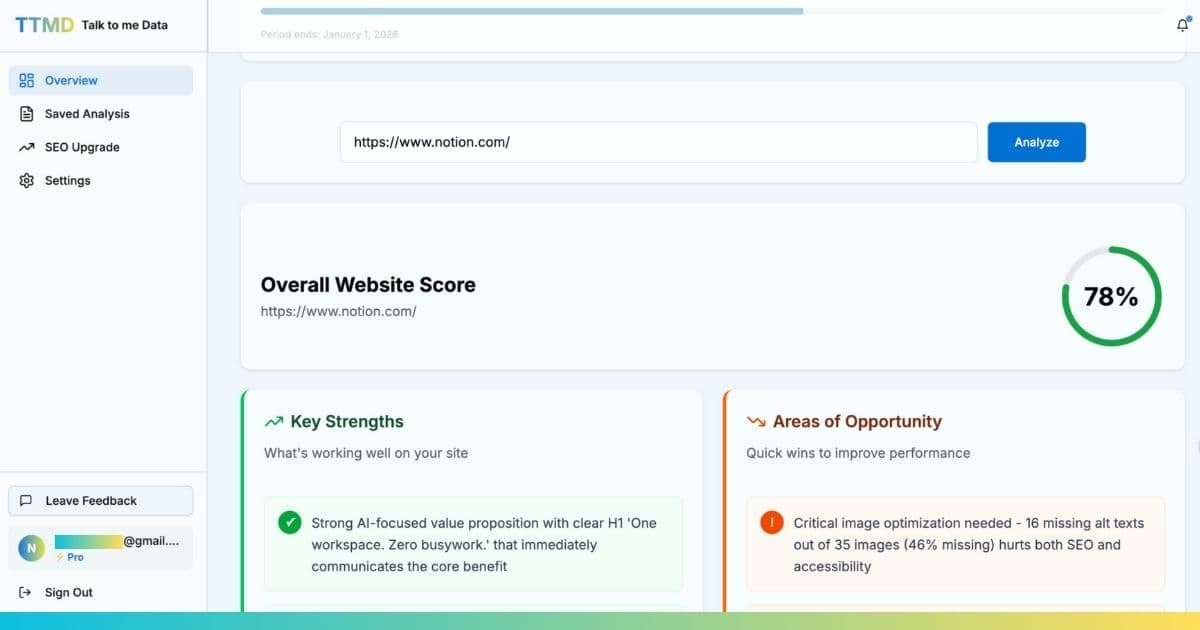
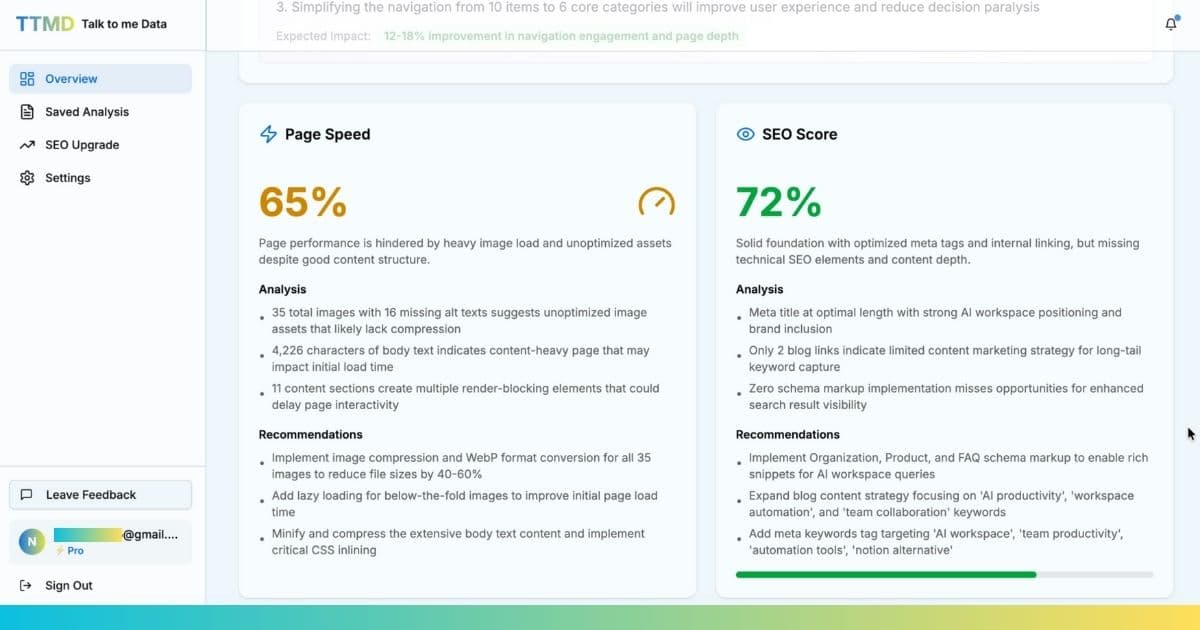
AI conversion analysis operates through multiple specialized algorithms working simultaneously. Here's what happens when you analyze a website with AI tools like Talk to me Data:
1. Technical Performance Analysis
The AI scans your website's technical infrastructure, measuring:
- Page speed metrics: Load time, Time to First Byte (TTFB), Core Web Vitals (LCP, FID, CLS)
- Mobile optimization: Responsive design, touch target sizes, mobile-specific performance
- Resource optimization: Image compression, JavaScript/CSS minification, caching configuration
- Rendering issues: Layout shifts, render-blocking resources, lazy loading implementation
As we covered in our guide on how to make your website faster, speed directly impacts conversions: every 100ms of delay reduces conversions by 1%.
2. User Experience (UX) Evaluation
AI assesses how easily users can navigate and complete actions:
- Navigation clarity: Menu structure, information architecture, breadcrumb implementation
- Visual hierarchy: Content organization, whitespace usage, attention flow
- Form optimization: Field count, input types, error messaging, progress indicators
- CTA visibility: Button placement, size, contrast, action-oriented copy
3. Messaging and Copywriting Analysis
Natural language processing (NLP) algorithms evaluate your content:
- Value proposition clarity: Does the headline immediately communicate what you offer and who it's for?
- Reading level: Is copy accessible to your target audience? (Flesch-Kincaid scoring)
- Action orientation: Do CTAs use first-person, specific language ("Get My Free Report" vs "Submit")?
- Trust signals: Testimonials, social proof, guarantees, security badges
- Pain point addressing: Does copy speak to customer problems and solutions?
4. SEO and Discoverability Assessment
AI audits search engine optimization factors affecting organic traffic quality:
- Meta tags: Title tags, meta descriptions, Open Graph tags
- Content structure: Heading hierarchy (H1-H6), keyword usage, content depth
- Technical SEO: Sitemap presence, robots.txt configuration, canonical tags
- Schema markup: Structured data implementation for rich snippets
5. Pattern Recognition Across High-Converting Sites
The AI compares your site against thousands of high-performing websites, identifying:
- Which elements top converters include that you're missing
- How your page structure differs from best practices
- Whether your conversion path is simpler or more complex than benchmarks
- How your mobile experience compares to industry standards
What Conversion Issues Can AI Identify?
AI-powered analysis identifies conversion barriers across multiple categories. Here are the most common issues AI detects and their typical impact:
| Issue Category | Common Problems AI Detects | Conversion Impact |
|---|---|---|
| Unclear Value Proposition | Vague headlines, missing benefits, no differentiation | -20-40% |
| Slow Page Speed | Large images, no compression, render-blocking scripts | -7% per second |
| Poor Mobile Experience | Small tap targets, tiny text, horizontal scrolling | -50-70% |
| Weak CTAs | Generic text ("Submit"), poor visibility, no urgency | -15-30% |
| Complex Forms | Too many fields, no progress indicators, unclear errors | -25-35% |
| Missing Trust Signals | No testimonials, reviews, security badges, guarantees | -15-25% |
For a comprehensive breakdown of conversion analysis techniques, see our detailed guide on how to analyze your website for conversion issues.
The shortcut
AI that analyses your site is one thing. An AI agent that actively converts visitors is another.
Most AI tools tell you what to fix and leave the rest to you. A custom AI conversion agent skips the to-do list entirely: it engages visitors the moment they land, handles the objections that cause drop-off, and converts them before they leave.
- ✓Handles the "I'm not sure" visitor: answers questions about your product, pricing, or process in real time, removing the hesitation that kills conversions
- ✓Surfaces the right trust signals automatically: testimonials, case studies, guarantees, matched to what each visitor is asking about
- ✓Turns "Book a demo" into a real conversation: instead of sending visitors to a Calendly page, the agent qualifies them first and schedules instantly
- ✓Captures leads from visitors who aren't ready to convert yet: collecting name and email from exit-intent visitors so you can follow up later
We build, deploy, and host the agent. You get the conversions.
Sign up free →How to Implement AI Conversion Recommendations
Receiving AI recommendations is just the starting point. Implementation determines actual results. Here's a systematic approach to acting on AI insights:
Step 1: Prioritize by Impact and Effort
AI tools like Talk to me Data automatically prioritize recommendations, but you should create a personal action plan:
- Quick wins (high impact, low effort): Headline rewrites, CTA button copy, adding trust signals. Implement these first for immediate results.
- High-impact technical fixes: Image compression, enabling caching, removing unnecessary scripts. These require technical work but deliver significant results.
- Structural improvements: Form simplification, navigation redesign, mobile optimization. Higher effort but essential for long-term performance.
- Content and messaging overhaul: Comprehensive copy rewrites, value proposition refinement. Important but can be done iteratively.
Step 2: Implement Changes Systematically
Follow the 30-day sprint methodology to implement AI recommendations:
- Week 1: Copy, CTAs, trust signals (no coding required)
- Week 2: Speed and mobile optimization (technical fixes)
- Week 3: Forms and conversion path simplification
- Week 4: Testing, measurement, and iteration
Step 3: Measure and Iterate
Track the impact of your changes:
- Establish baseline metrics before implementing changes
- Track conversion rate weekly after implementations
- Run A/B tests on significant changes when traffic permits
- Re-analyze with AI after 30 days to identify next opportunities
- Document what works for your specific audience
What Results Can You Expect from AI Conversion Optimization?
Results vary based on starting point, implementation speed, and traffic volume, but consistent patterns emerge across thousands of websites using AI-powered optimization:
| Starting Conversion Rate | 30-Day Improvement | 90-Day Improvement | New Conversion Rate |
|---|---|---|---|
| 1.0% | +20-30% | +40-60% | 1.2-1.3% → 1.4-1.6% |
| 2.0% | +15-25% | +30-50% | 2.3-2.5% → 2.6-3.0% |
| 3.5% | +10-20% | +20-40% | 3.9-4.2% → 4.2-4.9% |
| 5.0% | +8-15% | +15-30% | 5.4-5.8% → 5.8-6.5% |
Note: Sites starting with lower conversion rates (1-2%) typically see higher percentage improvements because there are more obvious issues to fix. Sites already performing well (4-5%+) see smaller percentage gains but still meaningful absolute improvements.
Real-World Example:
A SaaS company with 10,000 monthly visitors and a 2% conversion rate (200 conversions) used AI to identify and fix mobile optimization issues, unclear CTAs, and page speed problems. Within 45 days, conversion rate improved to 2.8% (280 conversions), a 40% increase. At $50 average customer value, this represented $4,000 in additional monthly revenue or $48,000 annually, from the same traffic.
How is AI Conversion Optimization Different from Hiring a CRO Expert?
Both AI tools and human CRO experts have roles in conversion optimization, but they serve different needs:
| Factor | AI Tool (Talk to me Data) | CRO Expert/Agency |
|---|---|---|
| Analysis Speed | 60 seconds | 3-7 days |
| Cost | $0-49 per analysis | $5,000-15,000 per audit |
| Factors Analyzed | 150+ automated checks | 20-50 manual observations |
| Objectivity | Data-driven, no bias | Experience-based, some subjectivity |
| Implementation Support | Instructions provided | Often includes implementation |
| Best For | Founders, small teams, quick wins | Large companies, complex implementations |
The ideal approach: Start with AI analysis to identify issues and implement quick wins. If you need help with complex implementations or advanced testing strategies, hire a CRO expert who can work from the AI-generated baseline, saving their time (and your money) on manual analysis.
What Makes Talk to me Data's AI Different?
Not all AI conversion tools are created equal. Talk to me Data's AI offers several differentiating features designed specifically for founders and small teams:
1. Conversion-Focused Analysis
Generic website analysis tools report technical metrics without connecting them to business outcomes. Talk to me Data's AI specifically analyzes factors proven to impact conversion rates, then prioritizes recommendations by expected conversion improvement, not just by technical severity.
2. Actionable, Non-Technical Recommendations
Instead of vague advice like "improve page speed," Talk to me Data provides specific instructions: "Compress hero image from 2.3MB to 150KB using TinyPNG" or "Change CTA from 'Submit' to 'Get My Free Analysis.'" Every recommendation includes:
- What to change
- Why it matters for conversions
- How to implement it (with tools/code when needed)
- Expected conversion impact
3. Comprehensive Multi-Factor Analysis
Talk to me Data simultaneously analyzes:
- SEO: Meta tags, content structure, technical SEO, keyword optimization
- UX: Navigation, visual hierarchy, form design, user flow
- Messaging: Value proposition clarity, copy effectiveness, CTA quality
- Speed: Page load time, Core Web Vitals, resource optimization
- Mobile: Responsive design, touch targets, mobile-specific performance
- Structure: Site architecture, conversion path, page organization
Most tools focus on one or two areas. Talk to me Data provides holistic analysis because conversion optimization requires addressing multiple factors simultaneously.
4. Continuous Learning and Updates
Talk to me Data's AI continuously learns from new websites, emerging best practices, and conversion data. The recommendations you receive today incorporate the latest insights from thousands of optimized sites, knowledge that compounds over time as the AI analyzes more data.
How to Get Started with AI Conversion Optimization
Starting AI-powered conversion optimization is straightforward. Here's a practical implementation plan:
Phase 1: Analysis and Planning (Day 1)
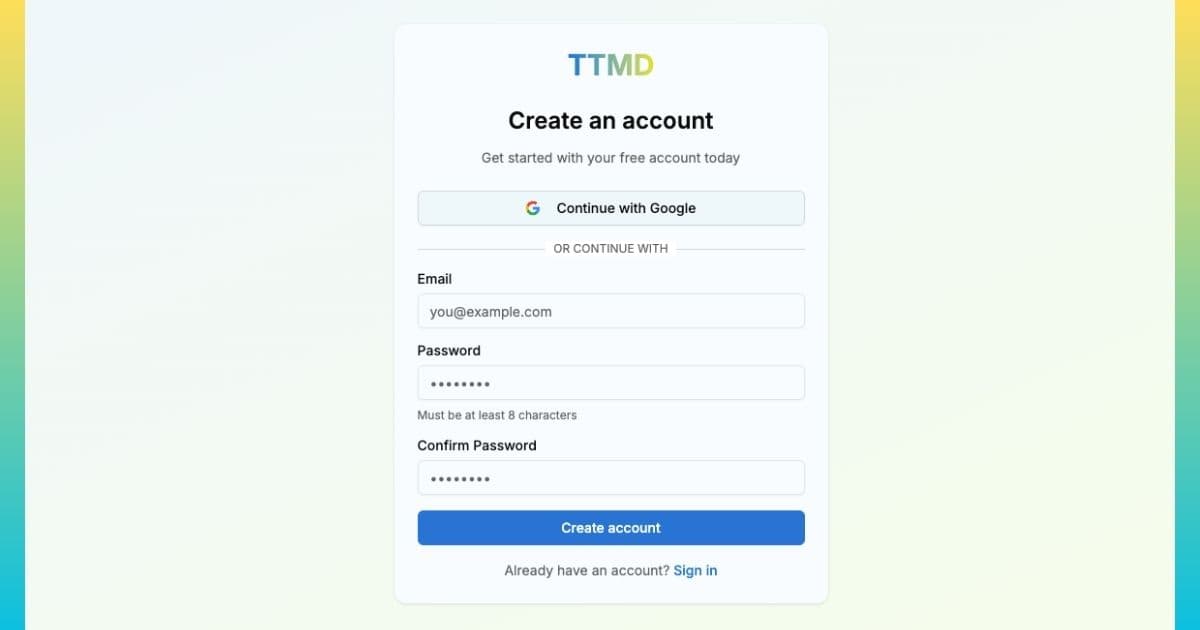
- Run AI analysis on your website using Talk to me Data
- Review all recommendations and categorize by implementation difficulty
- Use the conversion rate calculator to project revenue impact
- Create prioritized action plan focusing on high-impact, low-effort changes first
Phase 2: Quick Wins Implementation (Week 1)
Focus on changes requiring no coding:
- Rewrite headline to clearly communicate value proposition
- Update CTA button copy to be action-oriented and first-person
- Add or improve trust signals (testimonials, security badges, guarantees)
- Simplify any forms by removing non-essential fields
- Compress obviously large images
Expected impact: 10-15% conversion improvement
Phase 3: Technical Optimizations (Week 2-3)
Implement technical recommendations:
- Enable browser caching and compression
- Set up CDN (Cloudflare free tier)
- Implement lazy loading for images
- Fix mobile-specific issues (touch target sizes, font sizes)
- Defer non-critical JavaScript
Reference our comprehensive guide on making your website faster for detailed implementation instructions.
Expected additional impact: 5-10% conversion improvement
Phase 4: Measurement and Iteration (Week 4+)
- Compare conversion rates before and after implementations
- Run A/B tests on significant changes (if traffic permits)
- Re-run AI analysis to identify next optimization opportunities
- Implement second round of improvements
- Establish quarterly optimization reviews using AI analysis
What Tools Do You Need for AI-Powered Conversion Optimization?
AI conversion optimization requires minimal tooling. Here's the essential stack:
| Purpose | Tool | Cost |
|---|---|---|
| AI Conversion Analysis | Talk to Me Data | Free to $49 |
| Analytics | Google Analytics 4 | Free |
| A/B Testing | VWO | +$100 |
| Speed Testing | Talk to Me Data | Free to $49 |
| Image Compression | TinyPNG | Free |
| Heatmaps (optional) | Hotjar | Free to $50 |
Notice that comprehensive AI-powered conversion optimization can be executed with entirely free tools (except Talk to me Data's premium features). This makes it accessible to startups and bootstrapped founders.
Summary: AI as Your Conversion Optimization Advantage
AI-powered conversion optimization democratizes access to expert-level website analysis. What previously required expensive consultants, weeks of time, and specialized expertise is now available instantly to any founder willing to act on data-driven insights.
The competitive advantage belongs to founders who move quickly. While competitors debate whether to hire agencies or wonder which changes to make, you can analyze your site in 60 seconds, implement prioritized recommendations, and measure results, all within 30 days.
The question isn't whether AI can improve your conversion rate; data proves it can. The question is: when will you start? Every day of delay is revenue left on the table.
Frequently Asked Questions
How does AI improve website conversion rates?
What is the difference between AI-powered and traditional conversion optimization?
Can AI analyze my specific industry or niche?
How long does it take to see results from AI-recommended changes?
Do I need technical skills to implement AI conversion recommendations?
Keep reading
Related guides
Conversion Optimization
Website Checklist: How to Build a Landing Page That Converts

Conversion Optimization
How to Build a Website to Collect Leads: The Complete B2B Landing Page Guide

Conversion Optimization